
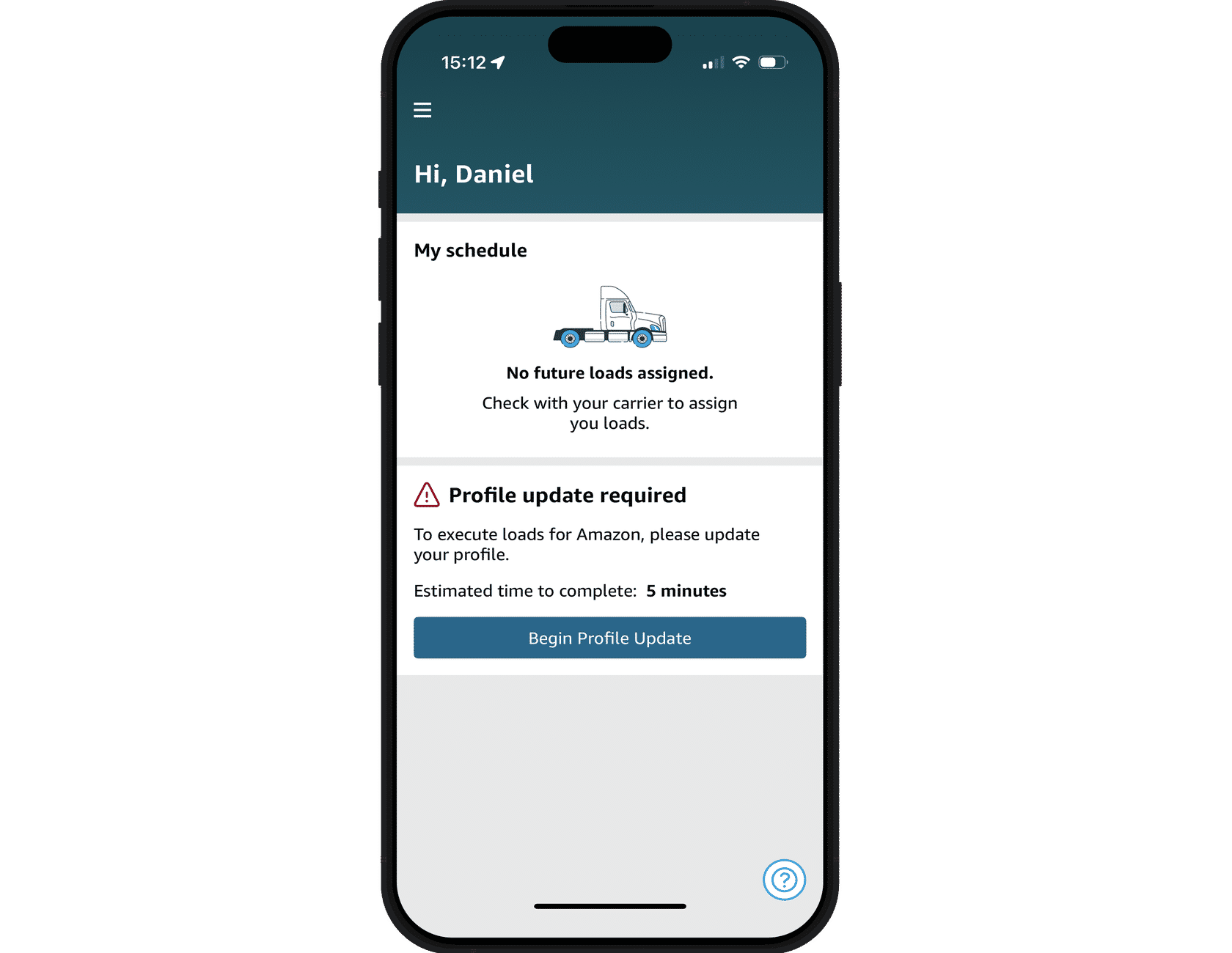
This course explains the steps drivers take before they begin hauling Relay loads. Drivers will need to create a profile, verify their identity, and provide details to initiate a background check.
This course will take approximately 15 minutes to complete.
This course is mobile friendly. You can take it on your phone or on a computer. Select the cards below for tips on taking this course on your phone.
Before creating a profile with Relay, there are some important steps for drivers to complete. First, it’s important to download the Amazon Relay app on a mobile device. Once downloaded, log in to an existing Amazon account, or create a new account.
Press the arrow below to view the process.
As part of our ongoing commitment to safety, drivers must verify their identity after they’ve created a profile. These checks help improve safety on roads and in our yards by ensuring only drivers who have successfully completed an identification check are able to haul Amazon Relay loads.
The process will take 5-10 minutes. Drivers can begin the process by following the profile update steps from the home screen of their app.
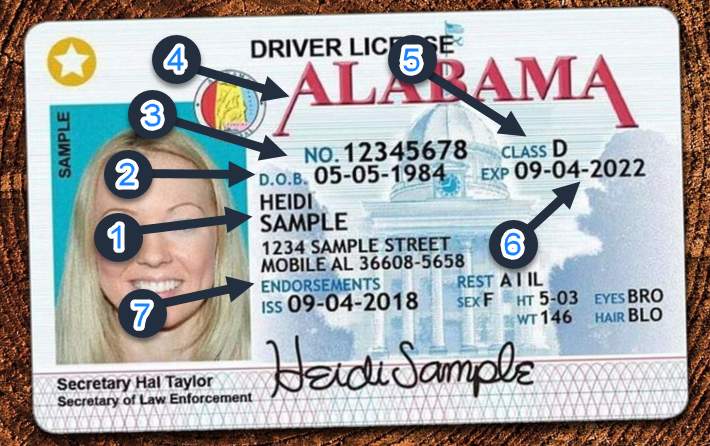
Name (first and last name as it appears on the driver’s license)
Date of birth
Driver’s license number
Driver’s license state
Driver’s license class (US drivers only)
Driver’s license expiration
Endorsements (US drivers only)
Note: U.S. drivers need to submit their driver’s license class and endorsements as they appear on the driver’s license.
This information will be used to confirm each driver’s identity based on the credentials they submit, and determine the driver’s eligibility to haul Relay loads. We handle driver information in accordance with our Privacy Notice(opens in a new tab).
The selfie shouldn’t be blurry or have a reflection of flash.
The driver’s face should be clearly visible and the photo shouldn’t cut off any part of the driver’s face.
Pictures of photos are not accepted.
The selfie should include the full face, from the neck to about two inches above the top of the head, and both ears.
No part of the driver’s face should be obstructed by sunglasses, hats, headphones, or any other clothing, except where religiously required.
The driver should be looking directly at the camera with a neutral expression.
No one but the driver prompted in the app should be in the photo.
The selfie must be taken at the place where it’s prompted, in a truck-safe location, and not while driving.
From the home screen, drivers will be prompted to update their profile. New drivers will see the workflow once profile creation is completed. Drivers will follow the steps below to update their profile.
Press the arrow to review the steps.
Once a driver has submitted their selfie in the Relay app as a part of identity verification, they’ll be asked to consent to the use of facial recognition technology within the app. After consenting, they’ll start seeing requests for selfies in the Relay app prior to picking up a trailer. We’ll automatically match these selfies to what drivers presented during their identity verification, using facial recognition technology.
See the Photo and Facial Recognition Information Use and Retention Notice within the Privacy Notice(opens in a new tab) for more on how we use the information collected.
Note: Drivers can choose not to consent to facial recognition technology, but that will prevent them from hauling Amazon loads.
The next step is a background check through an Amazon-approved provider. Drivers onboarding to Relay will be prompted for this in the Relay app once they’ve completed identity verification.
To support safety as our top priority, Amazon requires drivers to meet requirements of a standardized background check. The process helps ensure consistent safety standards while hauling loads and in Amazon yards.
Press the arrow below to view the process.