
Mccoy

Overview

Welcome

This course outlines the proper use of Relay Rejection Codes, including when and how rejections can be submitted, and when Amazon may issue them. This provides context on:

  • Appropriate rejection code usage.
  • Amazon-issued rejection prevention.
  • Rejecting codes through Relay.
 
Bonus: A downloadable resource guide detailing rejection codes is available at the end of the course.

Time

This course will take approximately 10 minutes to complete.

Navigating This Course

This course is mobile friendly. You can take it on your phone or on a computer. Select the cards below for tips on taking this course on your phone.

Click the magnifying glass icon (+) to zoom in and click again to return to normal size.
When you see a "CONTINUE" button, select it to unlock the next section of the course.
Rotate your phone for better access to course content.
Load Rejection Basics

What is a Rejection?

Simply put, a “rejection,” is your way of telling Amazon that you will be unable to complete work as scheduled. Since that work will now need to be completed by another carrier, we need to understand what caused the rejection as soon as possible to prepare that work for them.

Why does this matter?

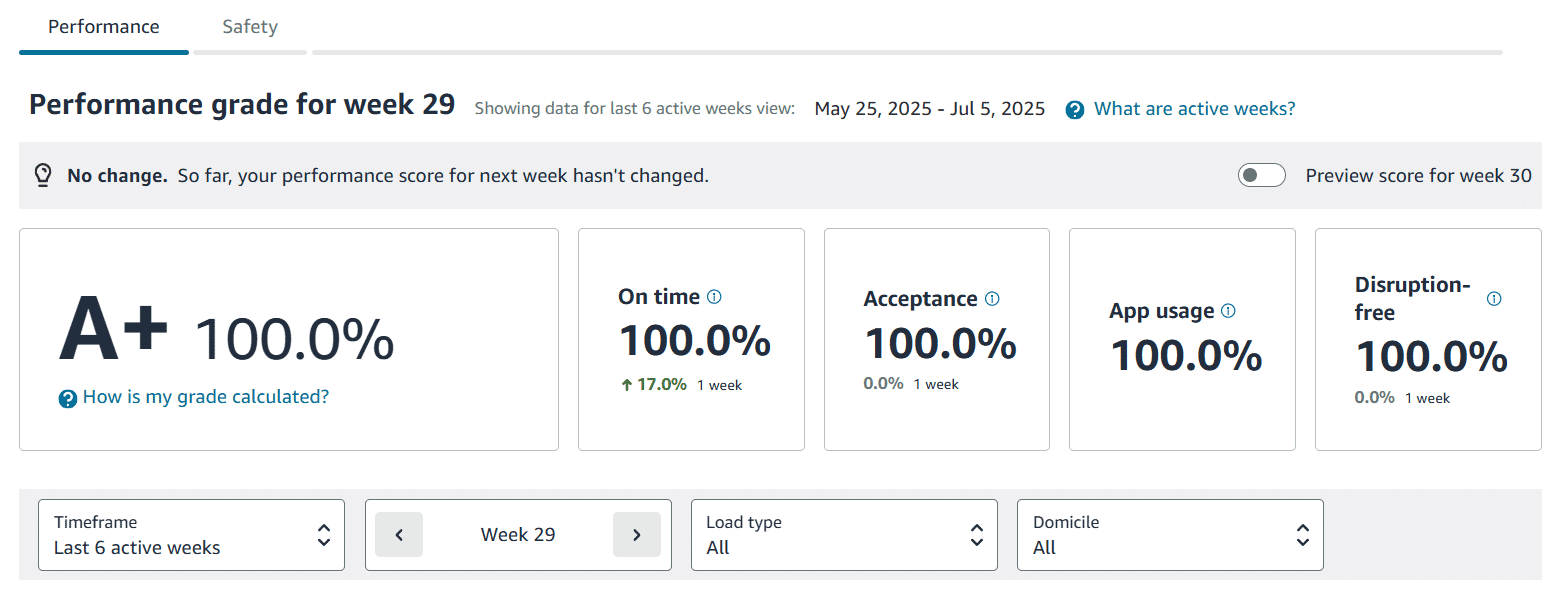
Rejecting work close to the scheduled arrive time (SAT) will impact the Acceptance metric under your Relay Performance Score negatively.

How to Effectively Reject a Load using Codes

How to Reject a Full Tour

Scroll down to find the two-step process for rejecting a full tour.

What about individual legs of the tour? Contact the ROC via Click-to-Call.

Step 1

Find Full Trip

To reject a load, find the impacted trip.

Then click the Reject button in the bottom right of the page.
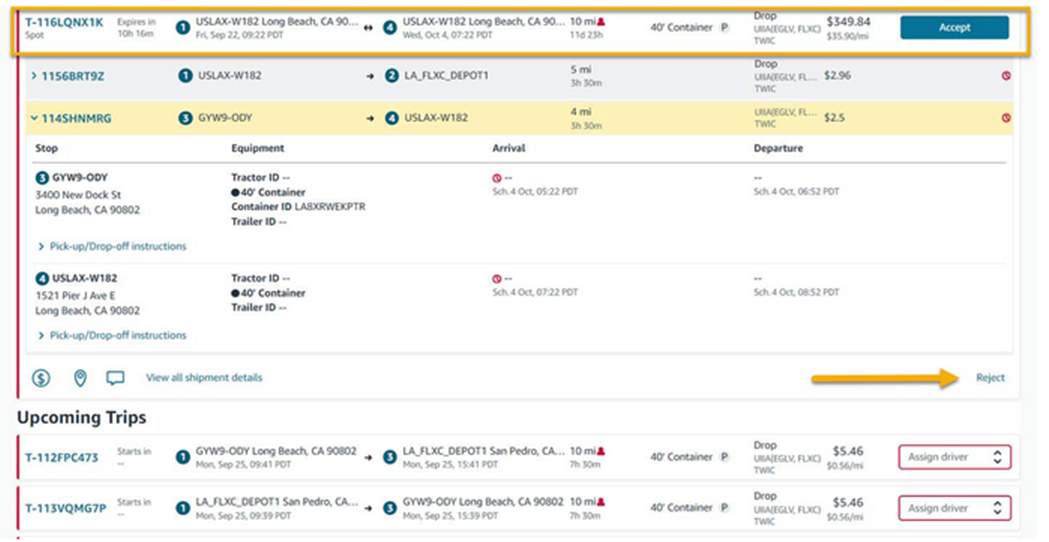
Trips page highlighting the impacted trip that needs to be rejected.

Step 2

Click Reject Load

Once you click Reject, a drop-down window will appear with various reason codes.

Select the code that fits your situation the best.
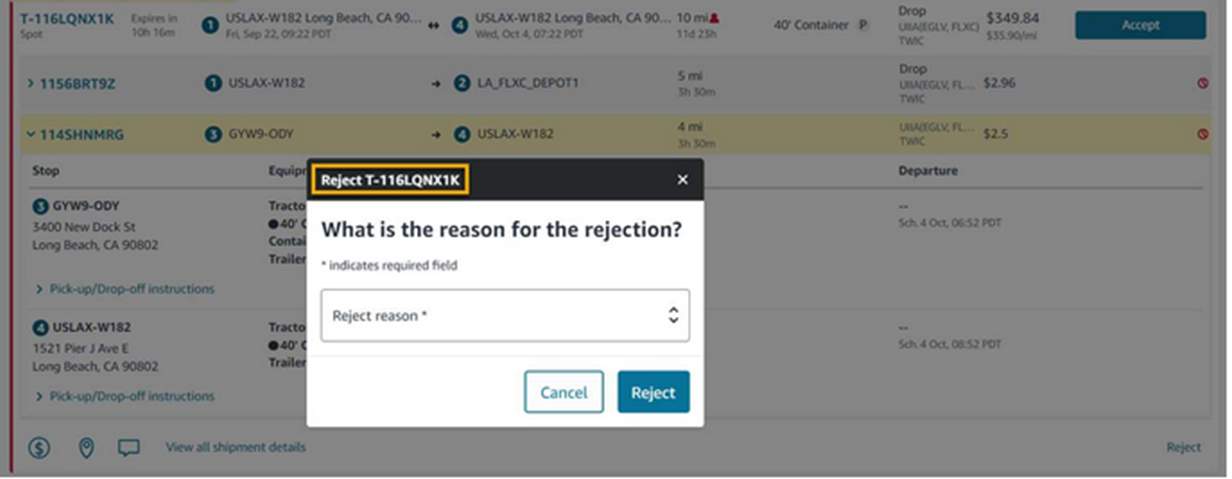
Rejected reason drop down menu featured.

How do I Know which Code to Use?

Review all 14 carrier controllable codes by clicking on the icons below. All codes are formatted as they appear within the Relay platform. 

DOT_INSPECTION

The vehicle was marked as out of service during a Department of Transportation (DOT) inspection.

DRIVER_ATTRITION

A carrier no longer has enough drivers to complete the work.

DRIVER_PERSONAL

An unexpected personal situation that prevents a driver from completing their scheduled shift, such as a family emergency or sick child.

EXPIRED - Automatic reason

A carrier did not Accept or Reject the load within the allotted timeframe.

HOURS_OF_SERVICE

A driver has run out of Hours Of Service and requires a DOT-mandated rest break due to improper planning by carrier.

INCORRECT_EQUIPMENT

A carrier does not have the correct equipment to complete scheduled work.

MECHANICAL_BREAKDOWN_TRACTOR

A tractor is having mechanical issues and is unable to fulfill future work.

MECHCANICAL_TRAILER

The trailer is experiencing mechanical issues (flat fire, electrical, etc.)

MEDICAL

A driver is unable to work due to their own medical issues.

Overbooking

A carrier has booked too much work for their fleet capacity to complete.

Rates

A carrier is not satisfied with the pay rate.

Weather

The driving conditions are unsafe due to severe weather (snowstorm, tornado, etc.).

WRONG_DOMICILE

A carrier has booked work outside of their domicile.

WRONG_DRIVER_TYPE

A carrier booked work using the incorrect driver type (solo/team).

Amazon-Issued Rejections

These codes are automatically applied to your account by Amazon. Amazon may reject loads that risk missing the customer delivery promises like:

  • No driver/fleet assigned (linehaul work – 3 hours before scheduled arrive time (SAT); Delivery destination unit (DDU) work – 1 hour before).
  • Driver not checked in 30 min. after SAT.
  • Same driver assigned to multiple loads at once.
  • Missing pallet jack (DDU only).
  • Driver not using personal protective equipment (PPE), such as ANSI Class II vest or closed-toe shoes.
  • Hostile or abusive behavior.

Amazon-issued Rejection Codes

Click on each tab below to learn more about the codes.

Amazon and carrier rejections both impact your performance score equally.

Key Takeaways

Remember:

  • Rejections impact your score. As soon as you know a trip cannot be completed as promised, communicate that with Amazon.

  • Rejecting full tours can be done by you, but individual legs require help from ROC. Only reject loads yourself if it is for the full tour.
  • Reference the codes before adding them to ensure accuracy and faster turnaround. This ensures that Amazon knows how to get that delivery back on track faster.
  • Amazon may issue rejections on your behalf. These are added automatically when the customer delivery promise is at risk.
 
Additional Resources

Downloadable Resource Guide

We’ve made it easy to use the right code the first time. Download the 2025 Rejection Code Reference Guide below for easy reference in the future.

2025 Rejection Code Reference Guide.pdf