Refrigerated trucking, commonly called “reefer” freight, is a specialized and growing segment of the transportation industry. Whether it’s fresh produce, seafood, or frozen foods, temperature-controlled freight offers consistent opportunities nationwide for qualified carriers.
At Amazon, all carriers can book reefer loads with Relay through the Relay Load Board.
This course will walk you through everything you need to know about hauling refrigerated freight for Amazon. Here are the topics you can expect:
This course is divided into five modules. At any time you can revisit lessons you’ve already completed by using the table of contents on the left side of your screen. We recommend completing this 20-minute course at one time. However, if you pause, your progress is saved between sessions.
Click on each card to flip, and see how you can best view this course.
Reefer trucks (short for refrigerated trucks) haul shipments that need to stay cold. The refrigeration unit connects to the cargo area to keep temperatures steady during the trip. Reefer units typically use diesel-fueled generators or cryogenic cooling systems that works separate from the truck’s main fuel system.
Reefer carriers are held to the same performance and safety standards as dry van carriers, including on-time pickup and delivery, load acceptance rates, cancellation rates, safety scores, and compliance with all Amazon policies.
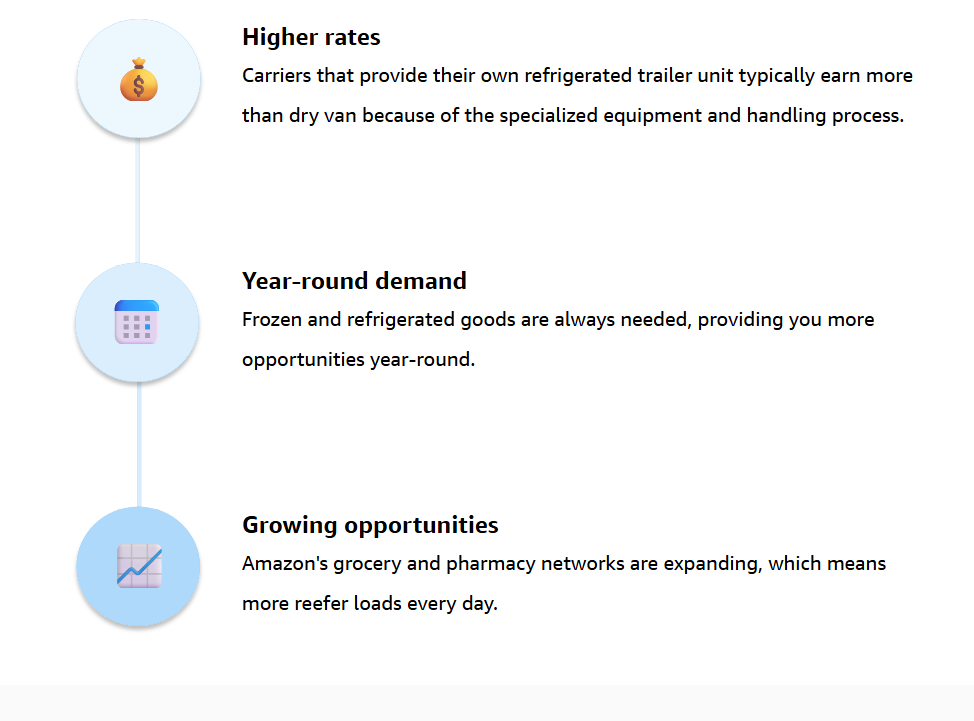
Here’s why reefer freight can be good for your business:

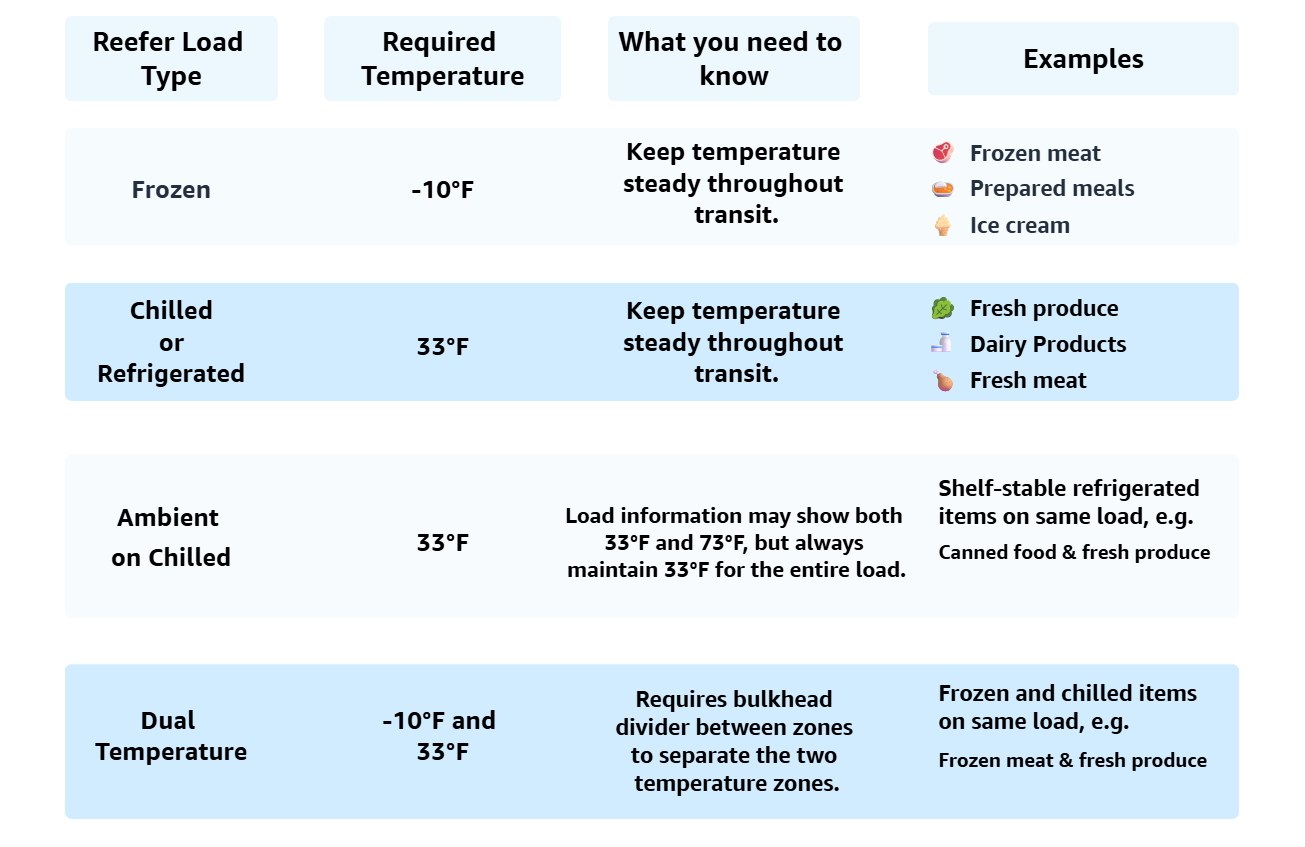
Amazon offers the opportunity to book several types of temperature-controlled freight. Make sure to check the temperature requirements, and book loads that match what your equipment can provide.


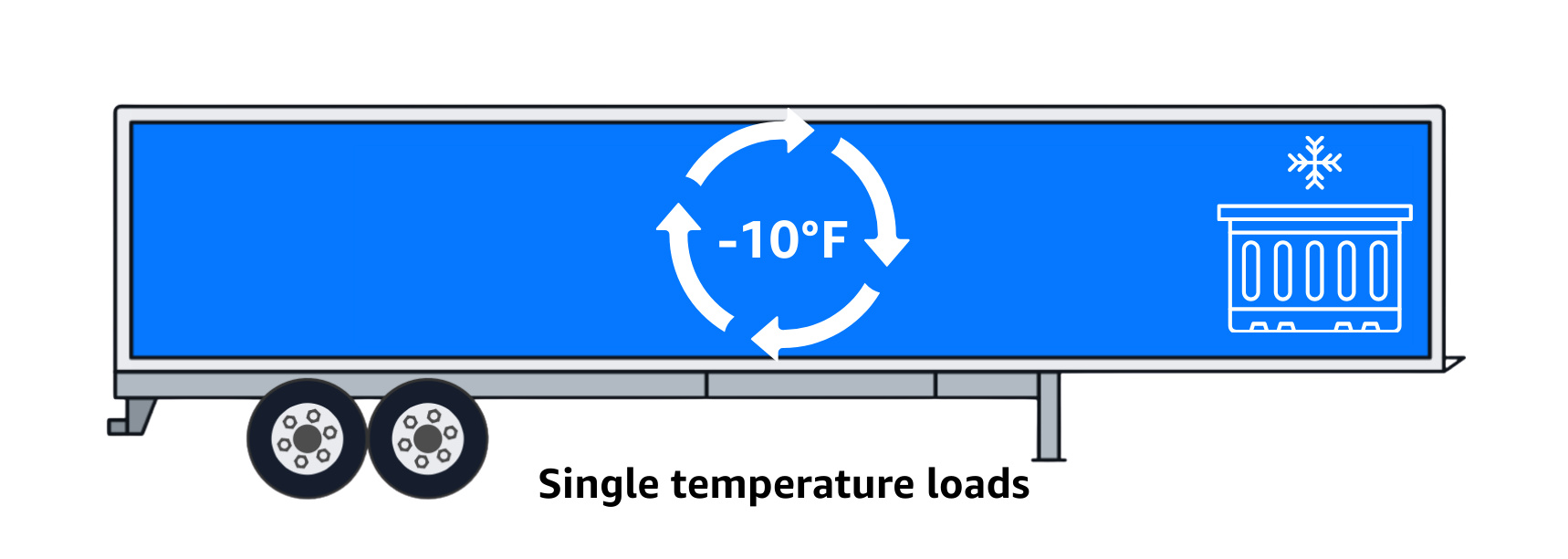
Important: Temperature needs to stay constant for the duration of the trip, so make sure you keep the refrigeration unit on for the duration of the entire trip. Spoiled freight may lead to delivery rejections, and if the loss of freight was deemed to be carrier controllable, you may be charged for the cost of the freight.
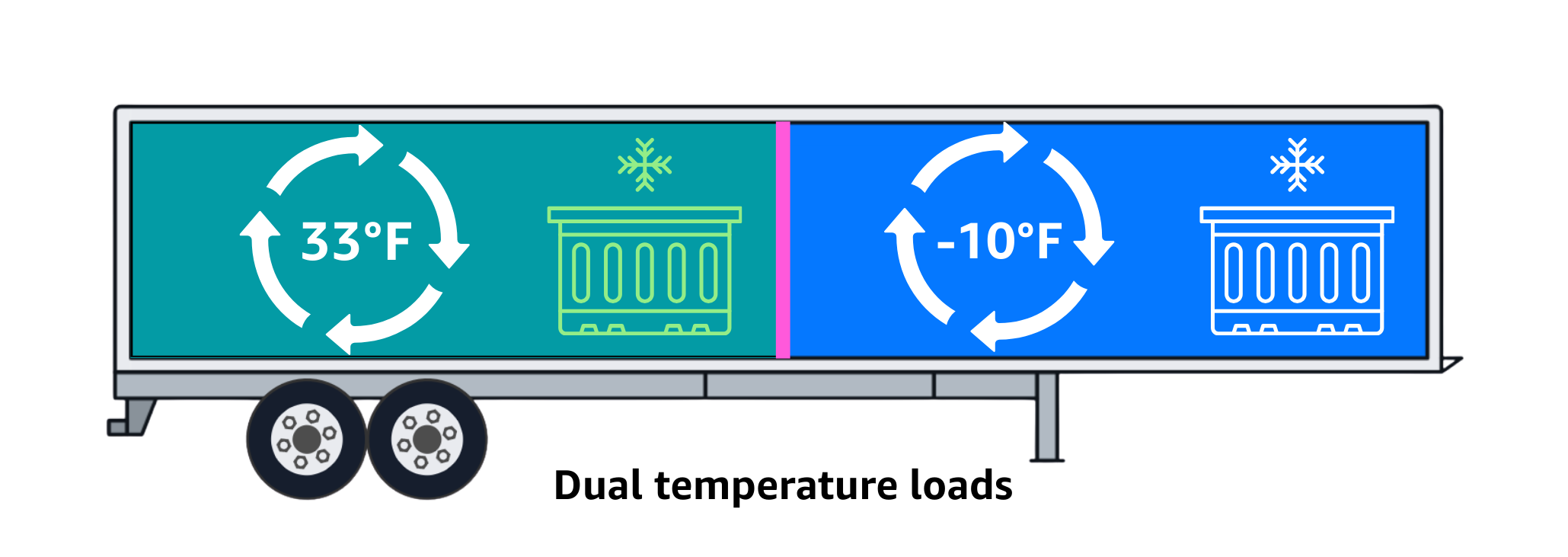
Reefer freight offers higher earning potential than dry van with year-round demand for opportunities. Understanding the four temperature categories (frozen at -10°F, chilled at 33°F, ambient on chilled at 33°F, and dual temperature) and equipment requirements helps you assess whether reefer freight fits your business model.
While the majority of processes and standards stay the same with regular Relay loads, it is important you become familiar with the grocery-specific procedures and considerations in the following lessons.
So what do you need to get started?
Let’s break down the requirements.
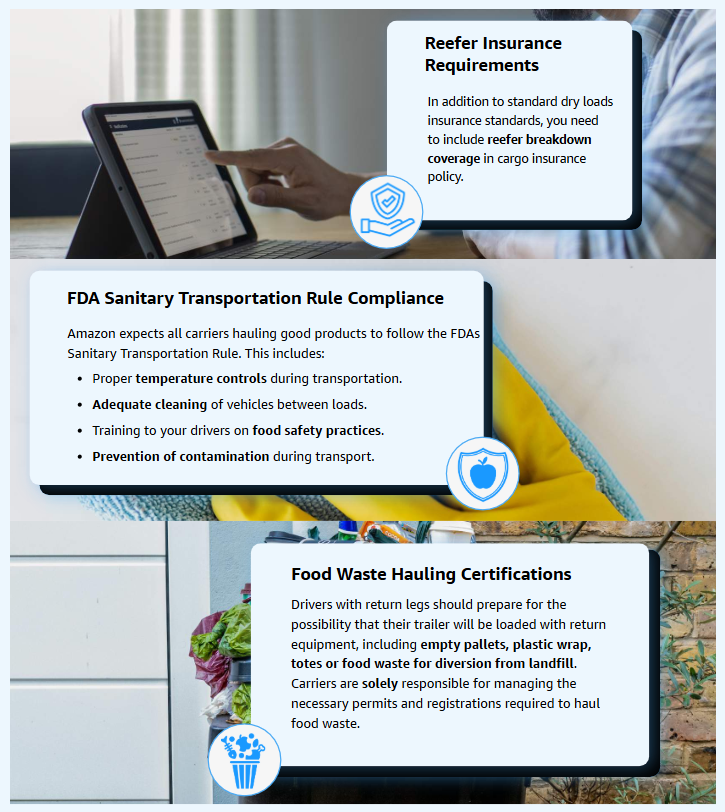
In this section, we’ll walk you through the carrier requirements and qualifications you need to start hauling reefer loads with Amazon and avoid rejections. Keep in mind that all your standard Relay requirements and qualifications still apply—what we’ll cover here is specific to reefer operations.
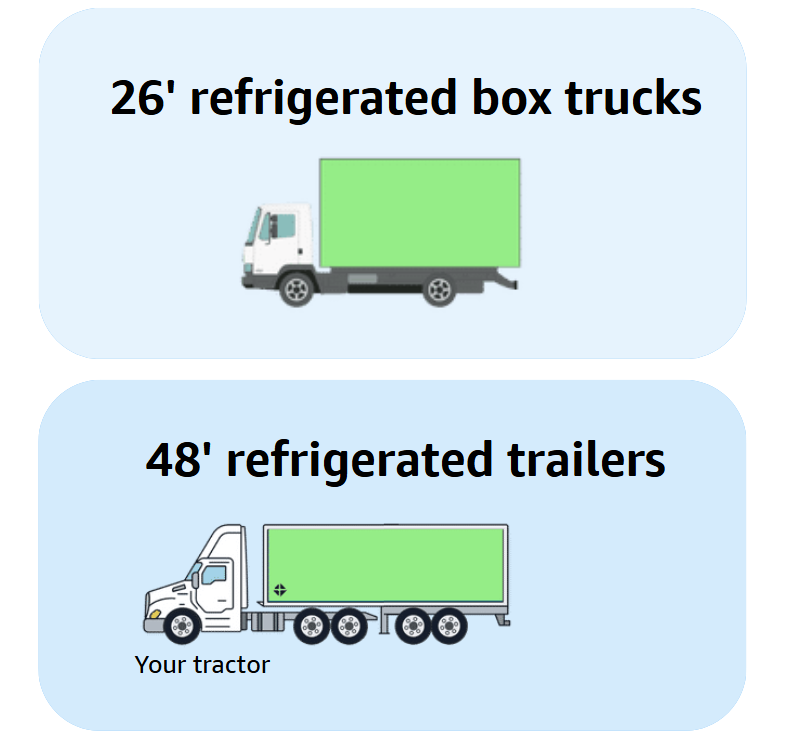
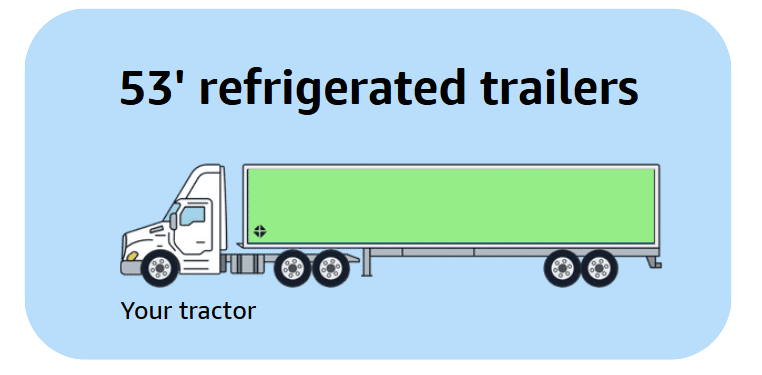
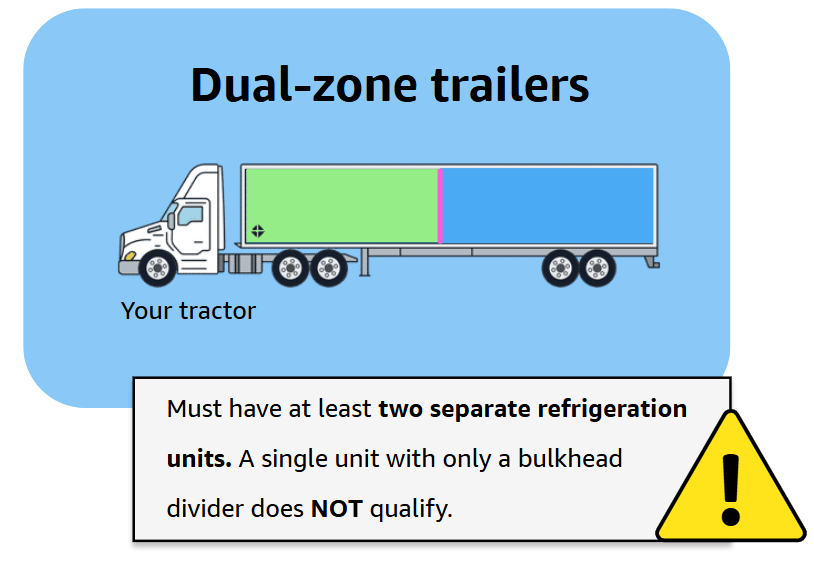
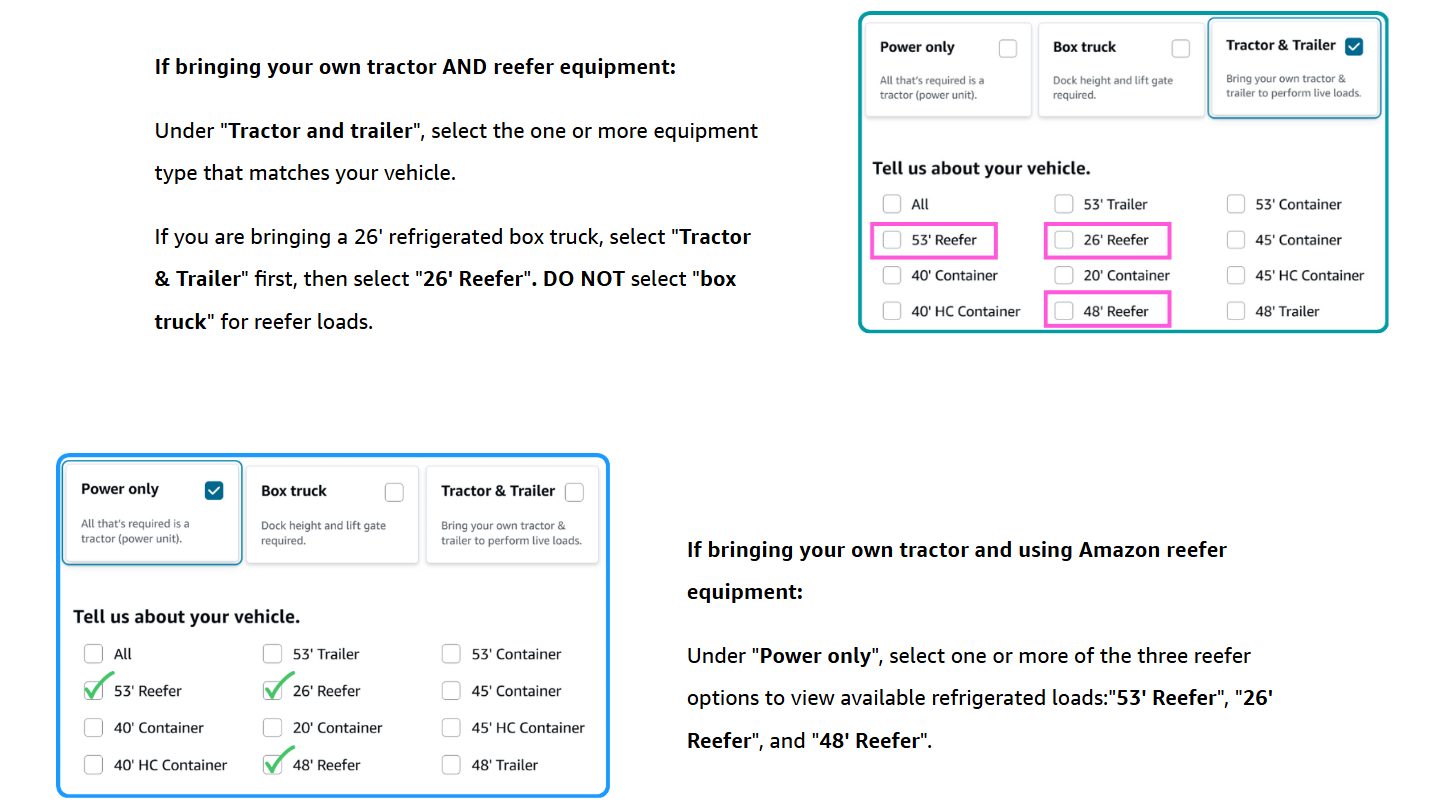
Carriers can use any of the following reefer equipment to haul refrigerated loads for Amazon.
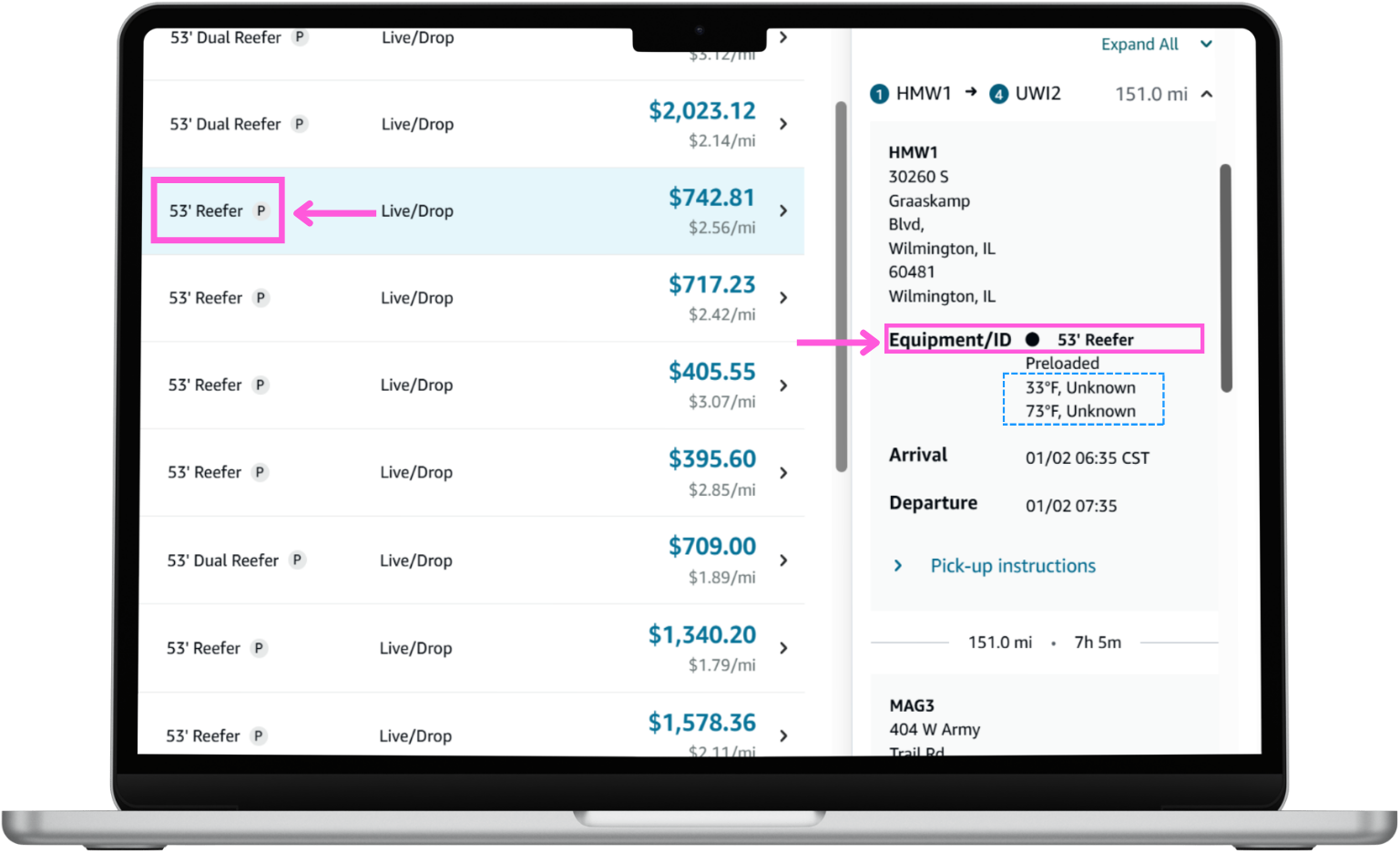
Sometimes the load details will show two temperatures. The correct equipment will always be displayed on the Load Board and in the Equipment/ID. Always refer to the main load board page for the correct equipment information,
Understanding carrier qualifications and equipment requirements ensures you’re prepared to haul reefer freight successfully. Remember the following:
In the Getting Started section, most refrigerated loads on Amazon Relay are for our grocery lines—frozen at -10°F, chilled at 33°F, and dual temperature loads requiring both. These grocery loads move through Amazon’s distribution system just like dry van freight, but with specific origin and destination locations you should recognize.
Let’s take a closer look at the two-phase distribution system:
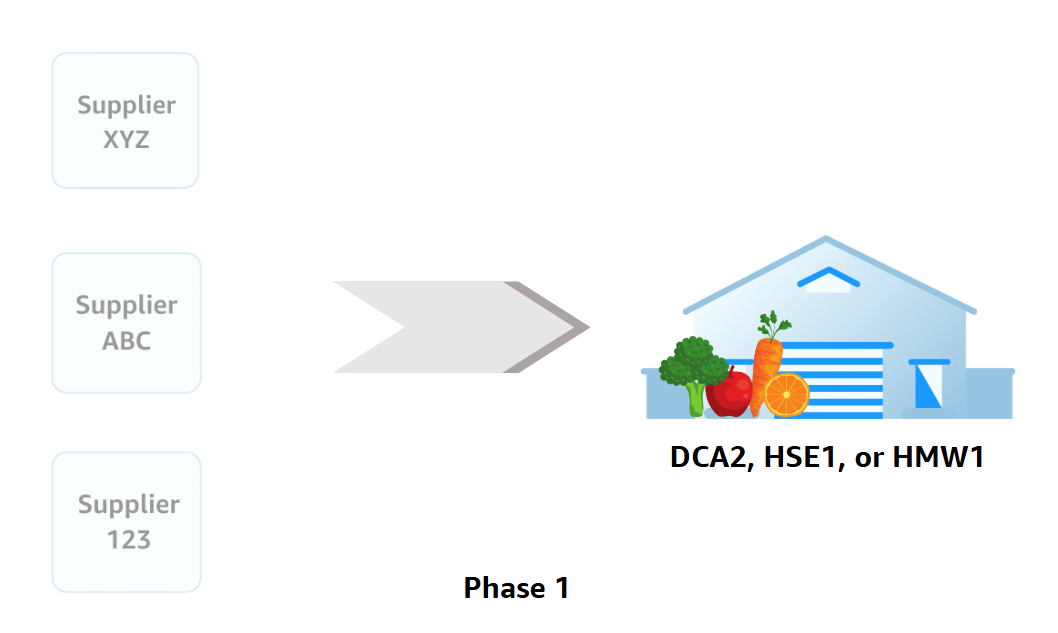
Phase 1 is where grocery products are shipped to the Grocery Distribution Centers (GDCs) from vendors and suppliers. As a Relay carrier, you will ALWAYS pick up grocery loads from one of these locations. To get started, filter for one of these three origin codes on the Load Board.
Currently, there are three GDCs across the U.S:
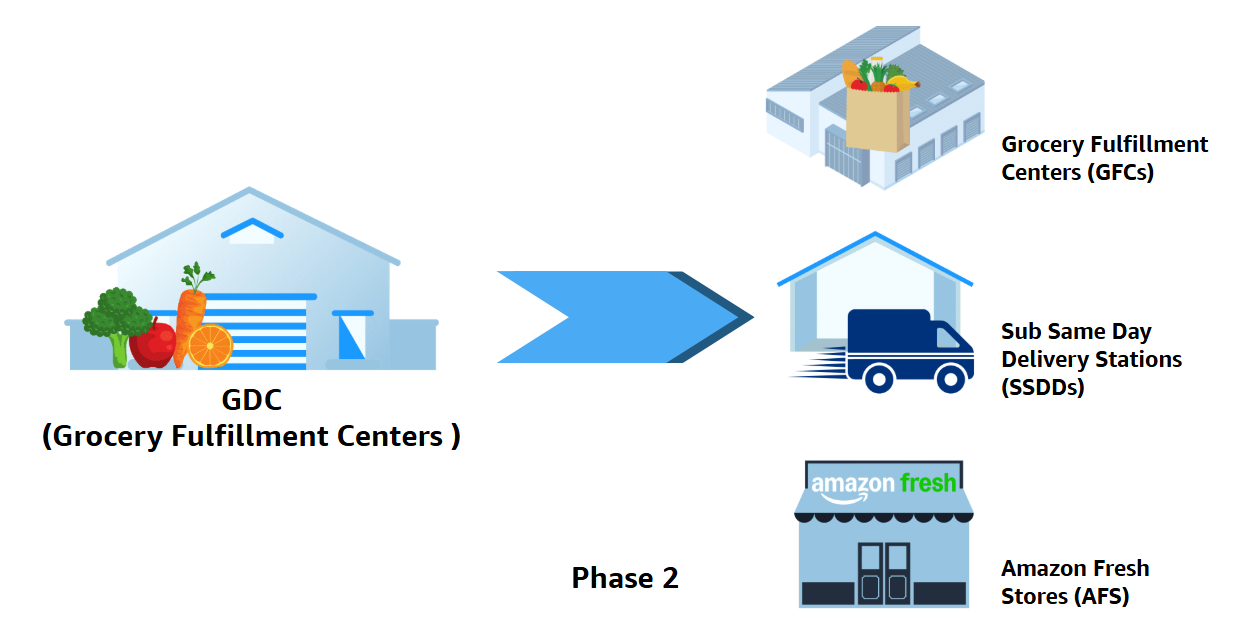
Phase 2 is where you will be making an impact. From GDCs, you will deliver grocery loads to:
These facility codes help you quickly identify grocery destinations when booking loads and plan accordingly, such as avoiding trailer drops at restricted locations like stores and SSDDs.
Knowing Amazon’s grocery network structure helps you plan smarter. You’ll recognize facility codes when booking loads and understand why most grocery loads are round trips. This knowledge helps you schedule drivers appropriately for longer round-trip operations and plan for return legs that may include waste or empty equipment.
You now know more about reefer loads and grocery-specific information. Let’s apply what you’ve learned so far and see how to find and book reefer loads. The process is very similar as your standard Relay load board experience, but with some key differences to watch for.
In this module, we’ll show you the step-by-step and a few tips to get you started.
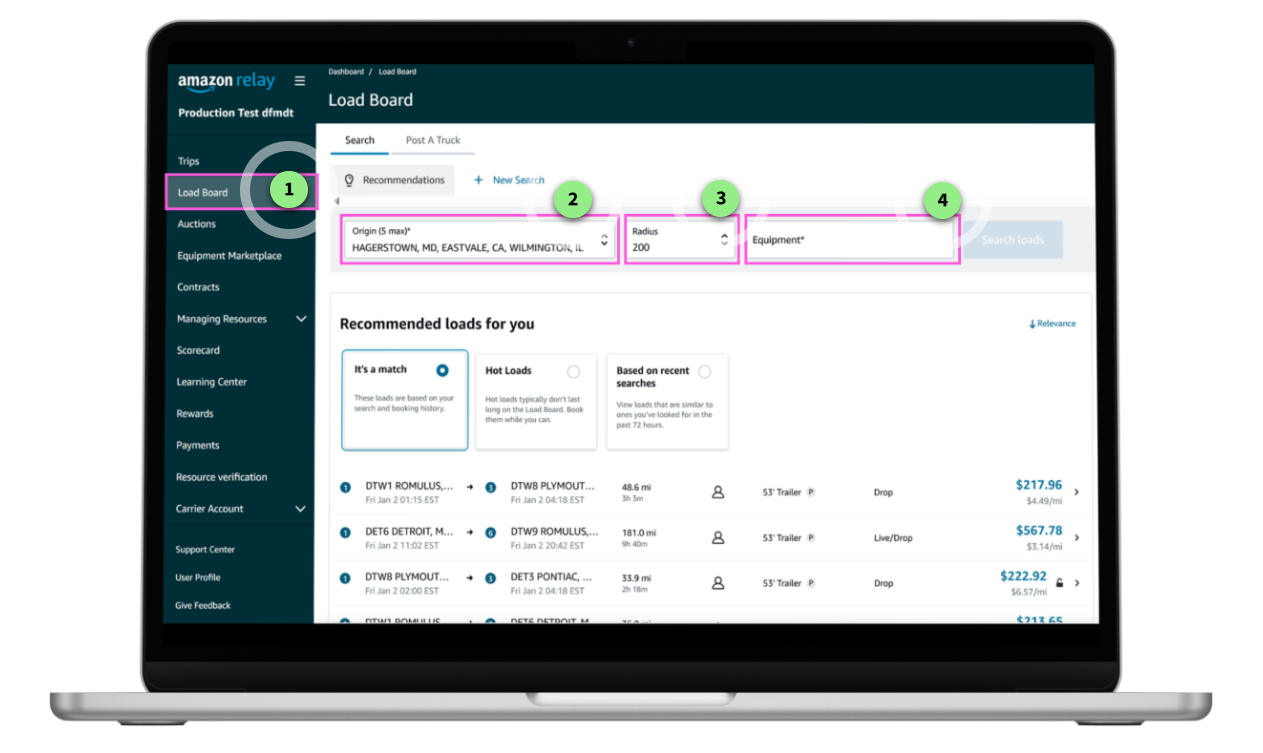
When you are ready to start hauling reefer loads, it’s easy to get started by filtering for the origin or equipment types on the Load Board. Remember to match the load details to your equipment to ensure a smooth pick-up for your driver.
This module will help you prepare your driver and manage the assignment process. Afterwards, when you’re ready to haul reefer, we recommend assigning your driver the Reefer Execution Guide for Drivers within Relay Learning Center. This guide details the procedures to help them haul a reefer load for Amazon.
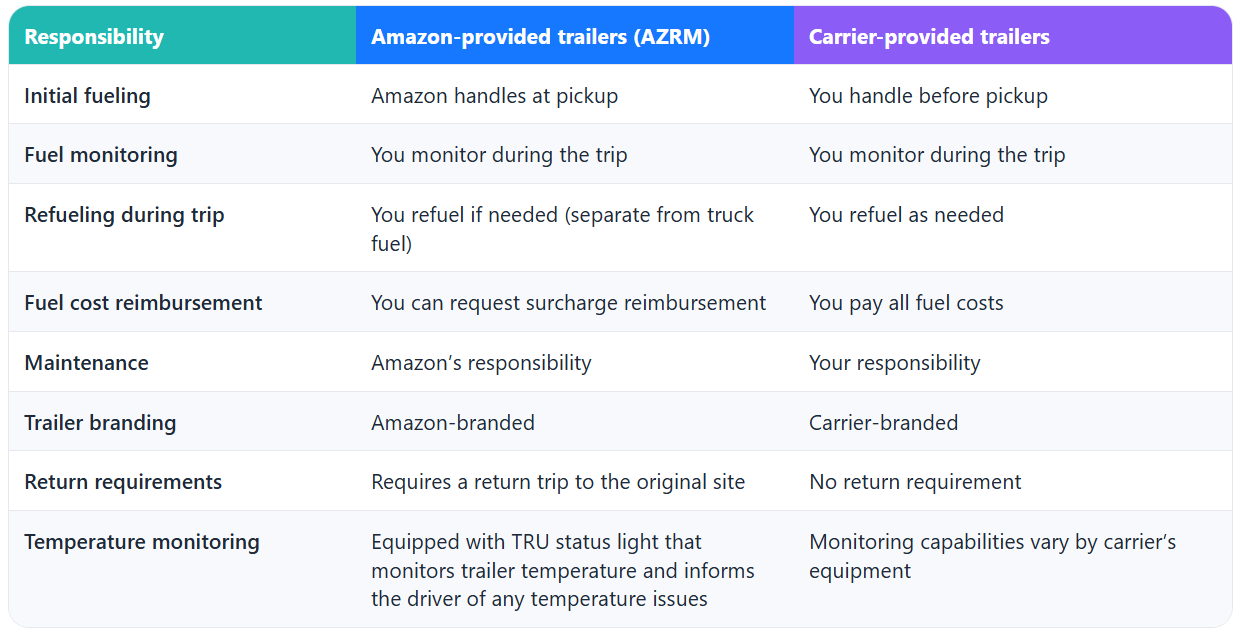
You’ll either be working with carrier-provided equipment or Amazon-provided equipment. Keep the following in mind when planning your loads and driver assignments.
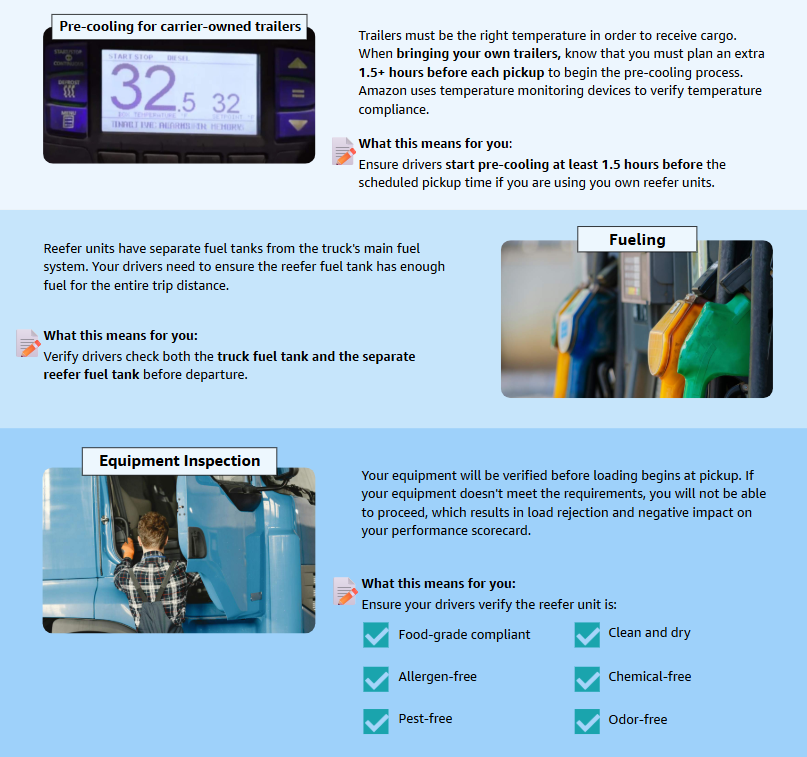
First, let’s go over the important pre-trip preparation steps for carrier and Amazon-provided equipment. These help make sure your reefer equipment meets Amazon’s standards before you arrive at the pickup location.
AZRM trailers are Amazon-provided refrigerated units you can use for power-only operations . Understanding the differences between Amazon-provided AZRM trailers and your own equipment helps you make smart booking decisions and know exactly what you’re responsible for during each trip.
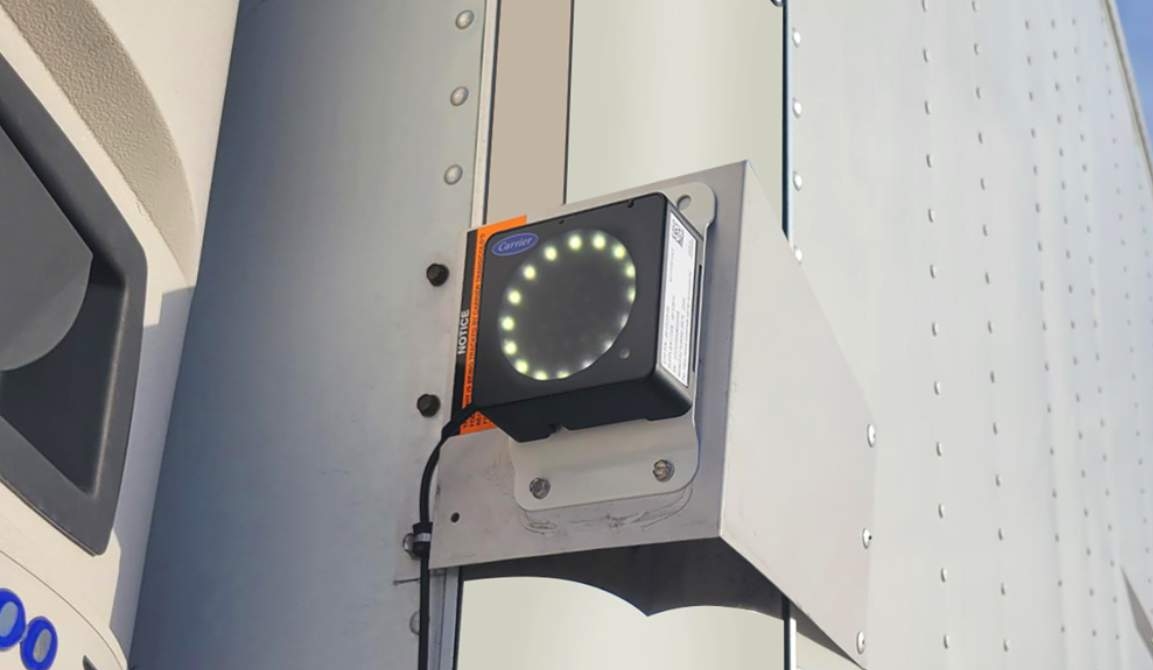
[1] TRU Status Lights: Amazon reefer trailers are equipped with external TRU (Transport Refrigeration Unit) status lights that drivers can monitor from the cab’s rear-view mirror. These lights provide real-time unit status: a white or green light indicates “STATUS OK,” while an amber triangle signals “CHECK UNIT” and requires immediate attention. Familiarizing your drivers with these indicators helps with proactive equipment monitoring on the road.
Plan for 1.5 hours of pre-cooling before your driver arrives at pickup, and ensure your reefer unit’s fuel tank is full for the trip.
Choosing Between AZRM and Your Own Trailer? AZRM loads let you haul refrigerated freight without buying a reefer trailer, and AZRM trailers include external TRU status lights so your drivers can spot temperature issues — but you’ll need to factor in return trips. If you own a reefer trailer, you control your schedule and routes but manage maintenance and fuel costs.
No matter which option you choose, temperature control is critical. Understanding these carrier responsibilities helps you plan smart and set yourself up for success!

To complete this course, please take 2 minutes to tell us about your experience with the course. Afterwards, we’ll provide you with resources to help you continue learning and growing with the help of Relay.
Reefer Execution Guide for Drivers
This comprehensive, mobile-optimized guide walks drivers through every step of reefer load execution. Assign this course to your drivers to help them successfully haul their first reefer load. You can also access this course to review what goes into reefer load execution and share it with your team for on-the-job reference.
Grocery Quick Reference Guide
Download this printable guide for at-a-glance comparison of reefer vs. dry van operations. Keep it handy when booking loads or planning trips. This guide includes all the key differences, restrictions, additional requirements, and what stays the same—organized in easy-to-read tables you can reference anytime.
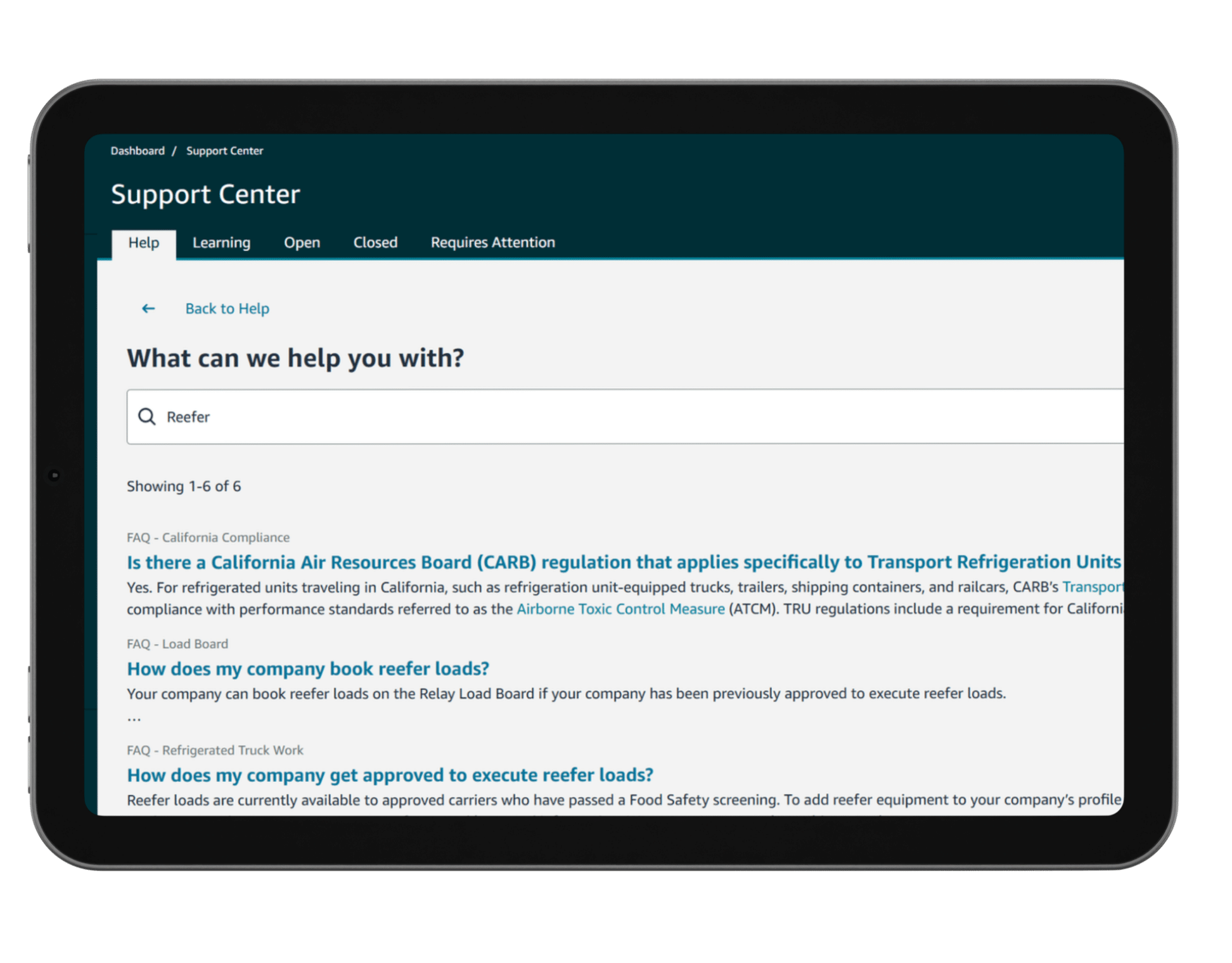
Check out the Support Center to find FAQs, request a callback, report any issues, dispute, find information easily and more.