
If you are experiencing a delay that will will make you late to your next stop, the Relay Mobile app has a specific reporting mechanism that can be used. To access the reporting feature press the question mark at the bottom right hand side of the app.
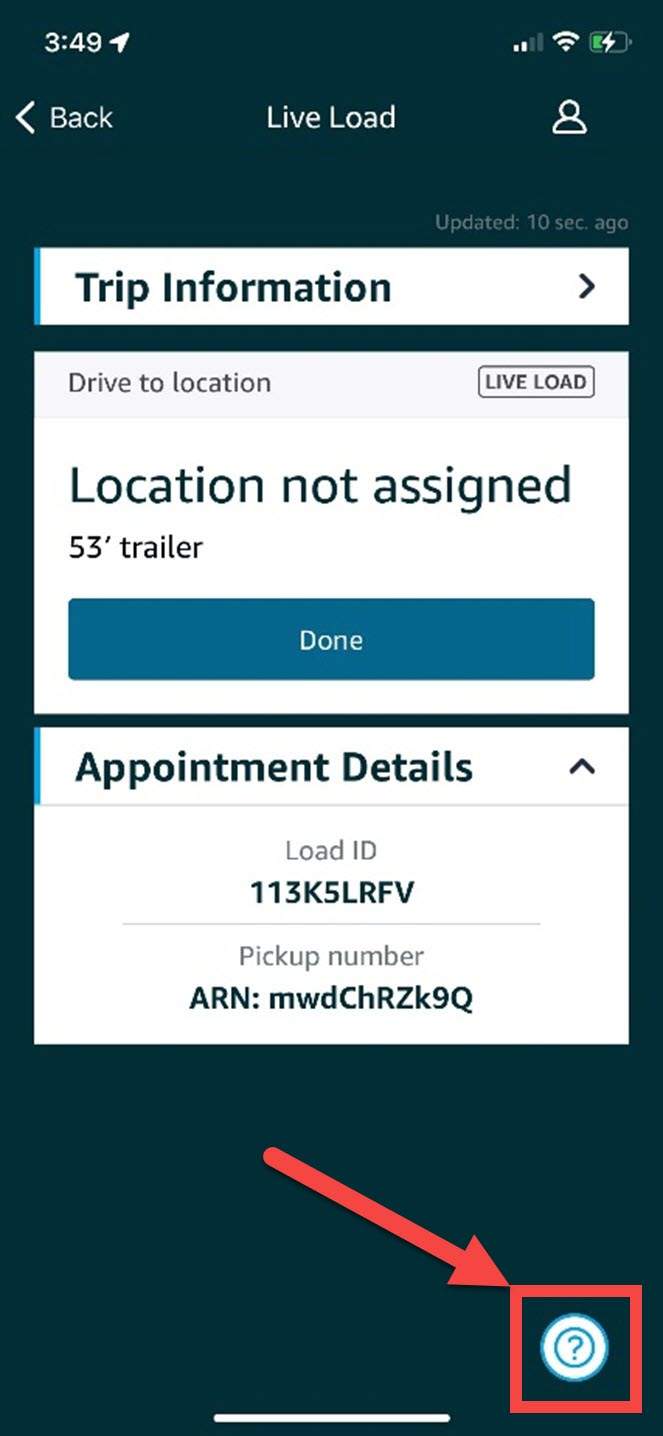
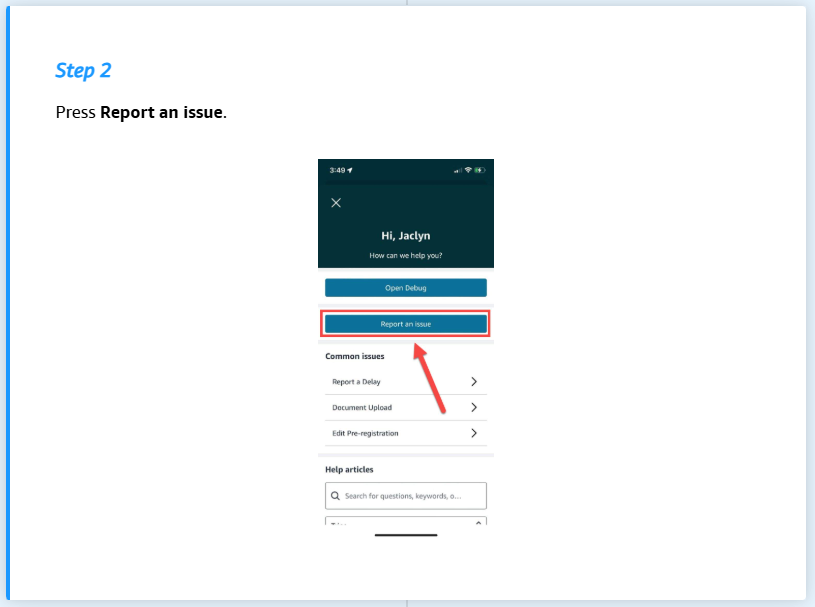
Press Report an issue.
Note: Open Debug is not present in Driver’s app
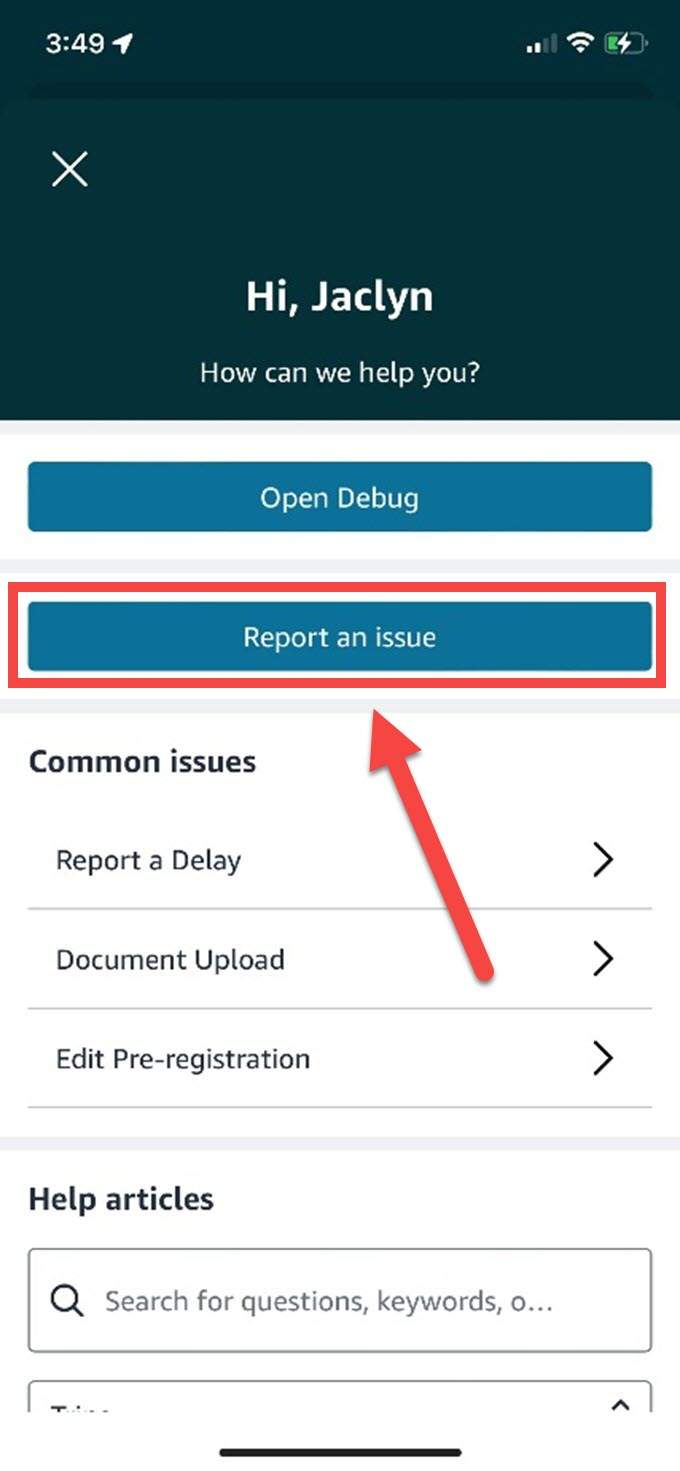
Press Report a Delay.
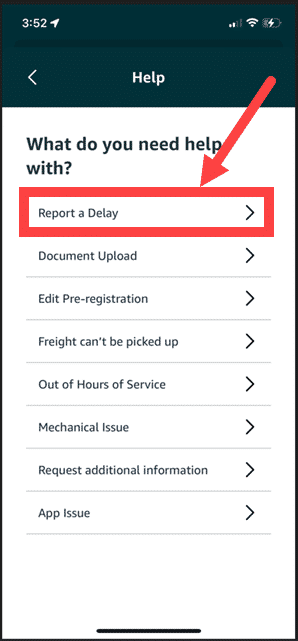
Press Reason. Select the reason from the drop down.
The image below shows some of the possible reasons.
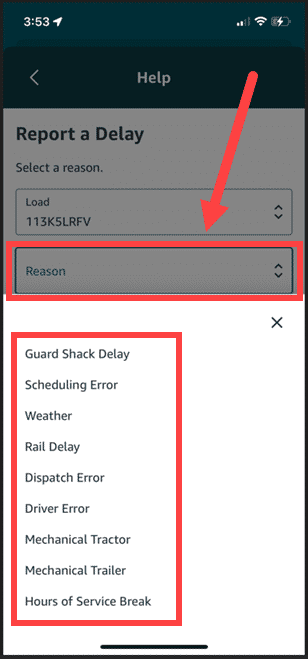
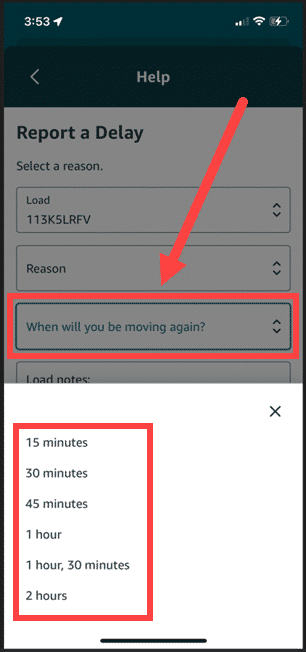
Press When will you be moving again? Select a time from the drop down.
The image below shows some of the possible times.
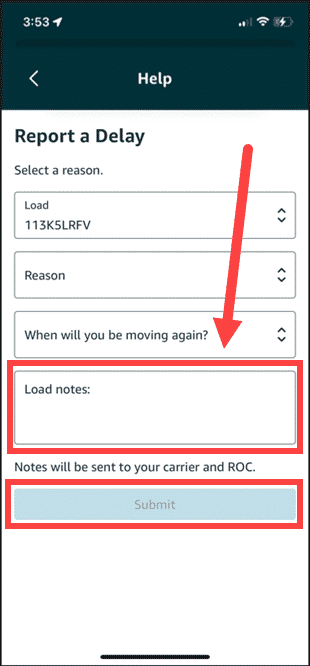
Enter any helpful notes as needed. Then, press Submit.
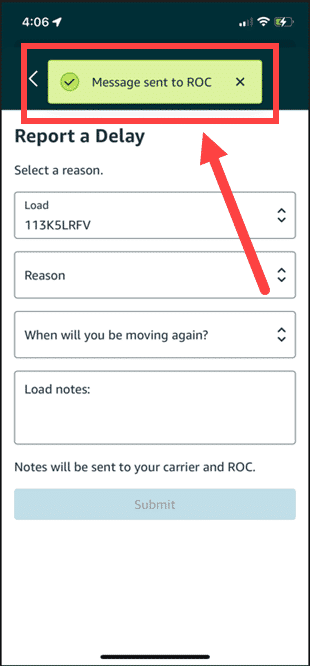
After pressing Submit, you should receive a notification in the Relay Mobile App letting you know that your message has been successfully sent to Relay Operations Center (ROC).
If your pre-registration information is incorrect, please update it to reflect the correct information. This can avoid additional barriers later on.
The steps to do so are outlined below. Press each image to view a larger version:
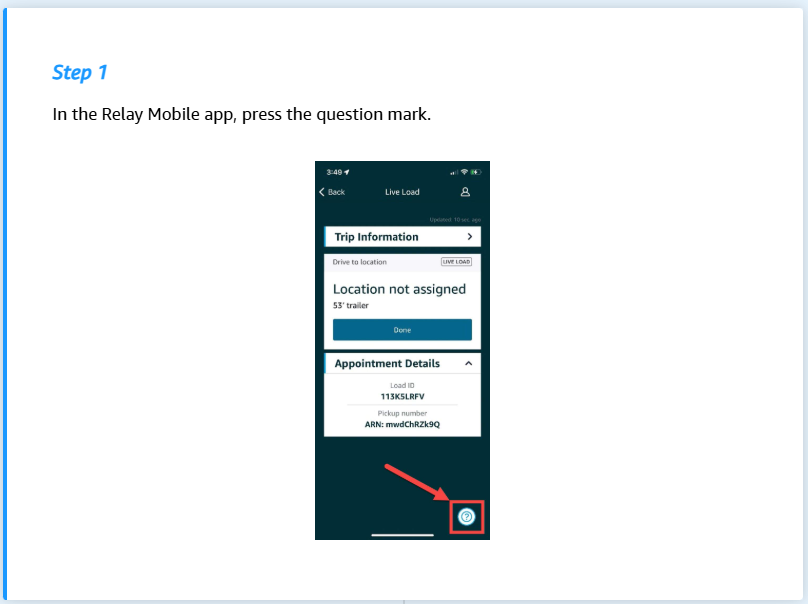
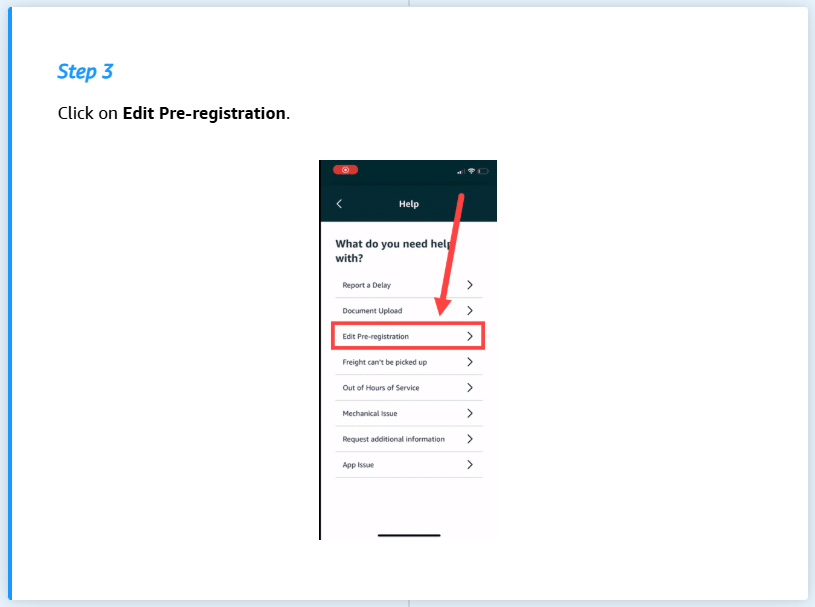
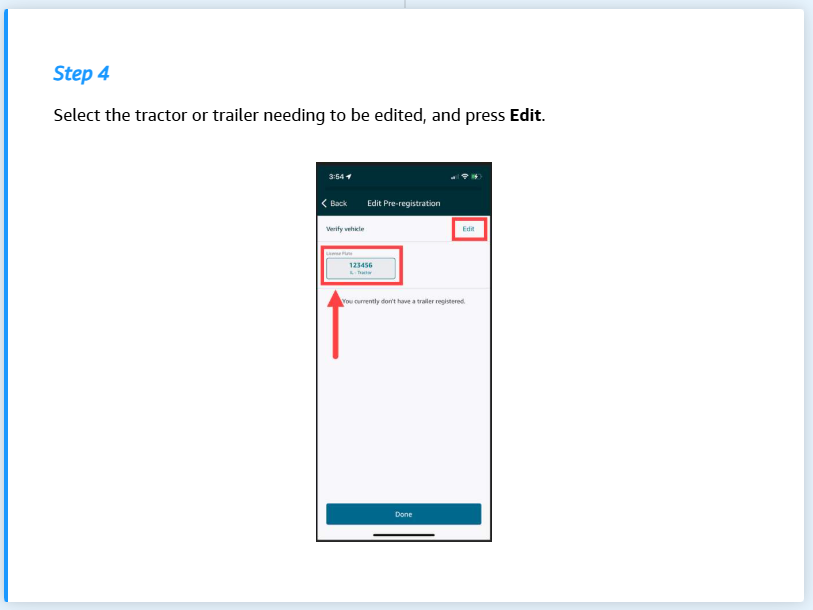
In the Relay Mobile app, press the question mark.
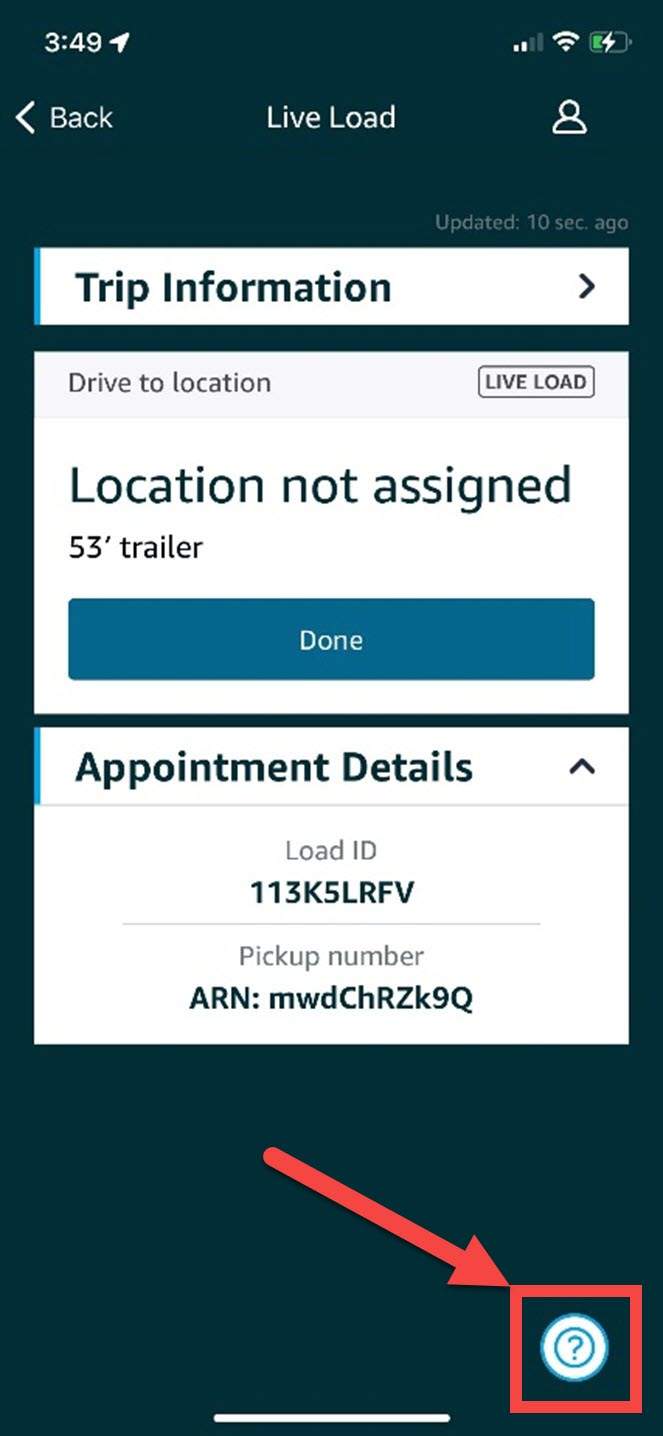
Press Report an issue.
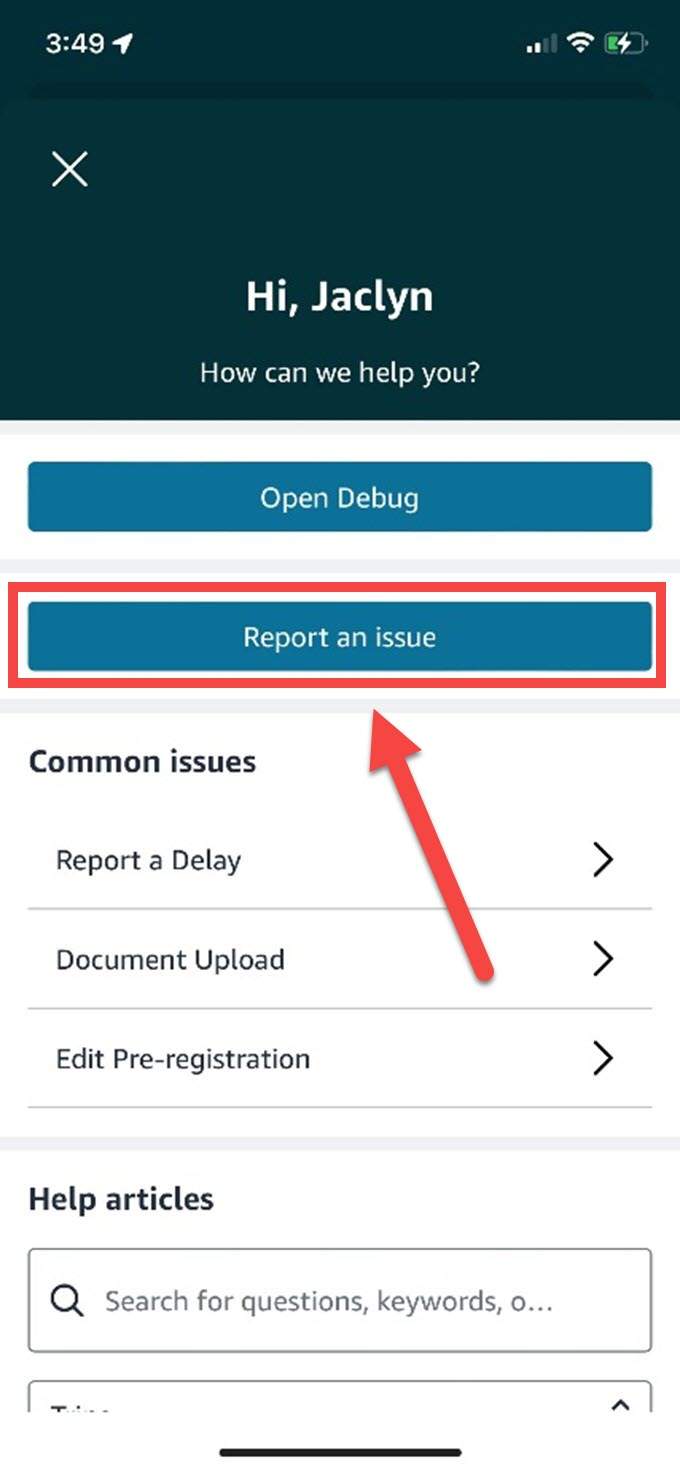
Press Out of Hours of Service.
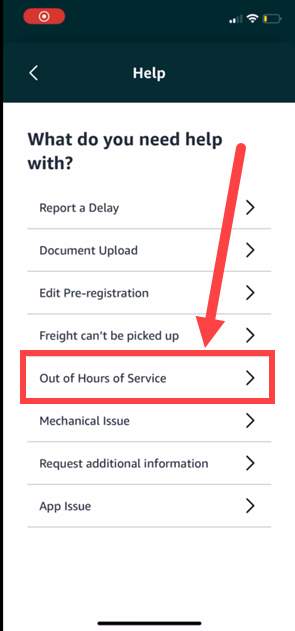
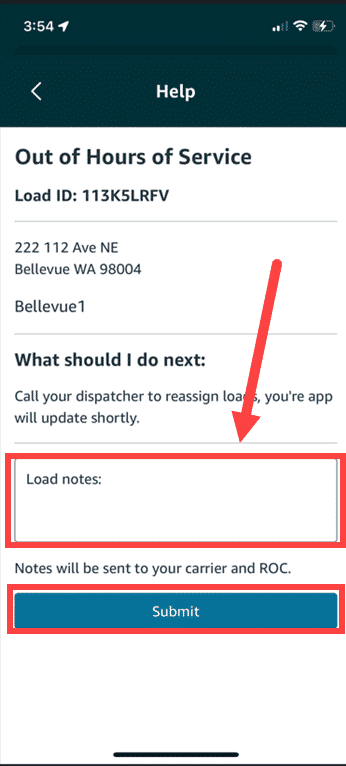
In the load notes, provide the ARN(s) not able to be picked up and reference being near out of hours.
For example, “ARN 456874238 not able to be picked up due to approaching HOS limit.” Then, press Submit.
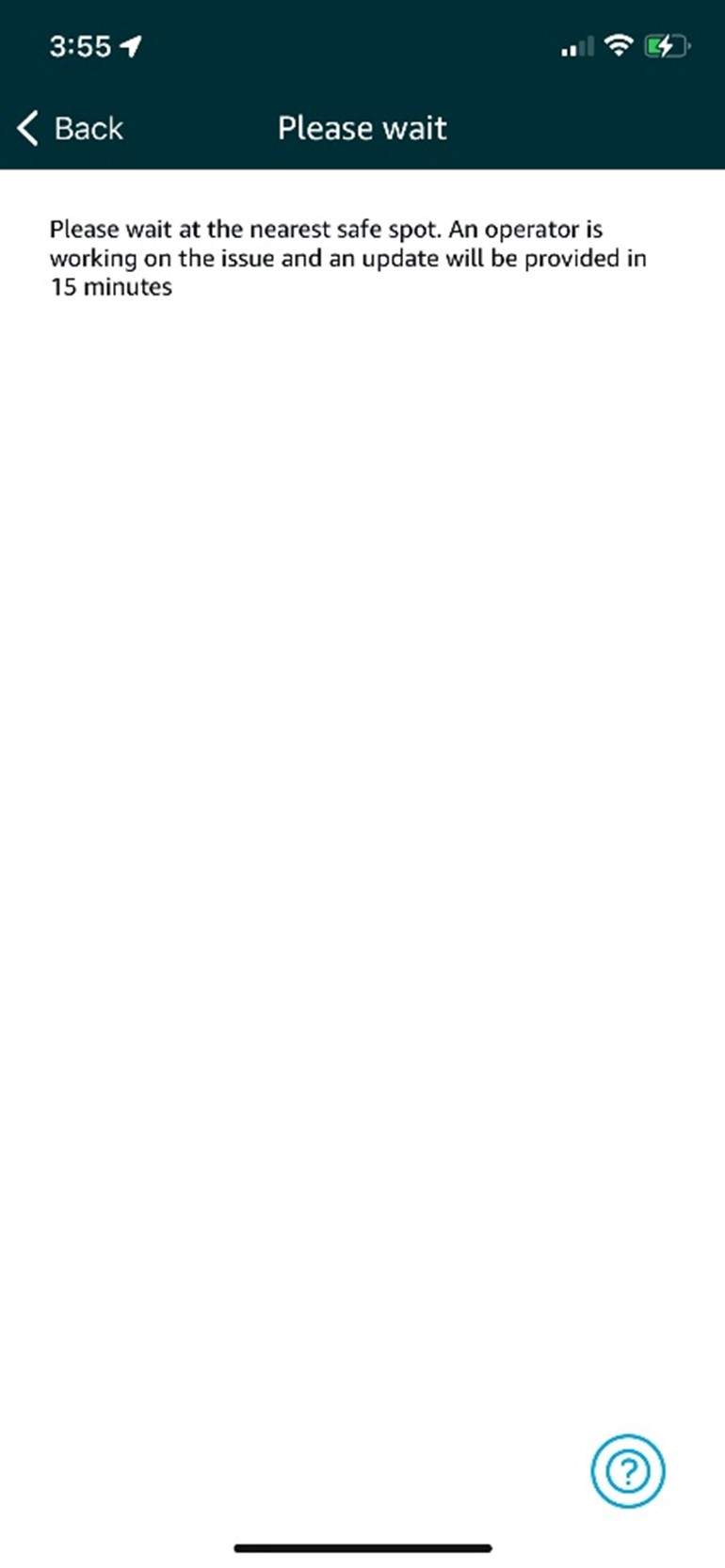
You will be instructed to wait at the nearest safe spot while an operator is called to provide next step(s).
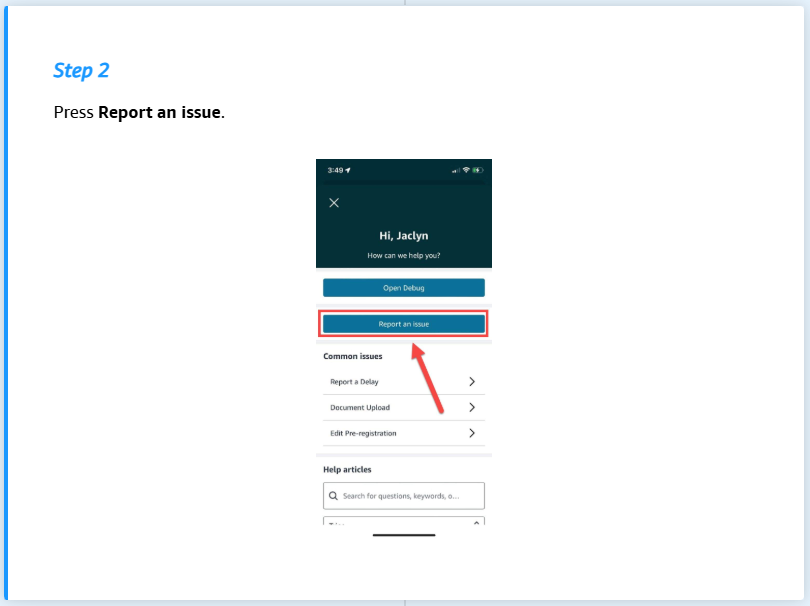
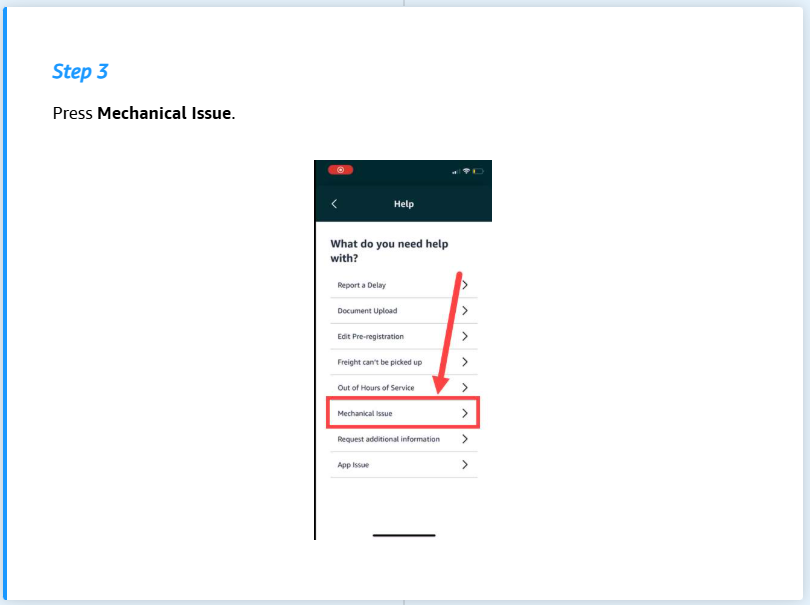
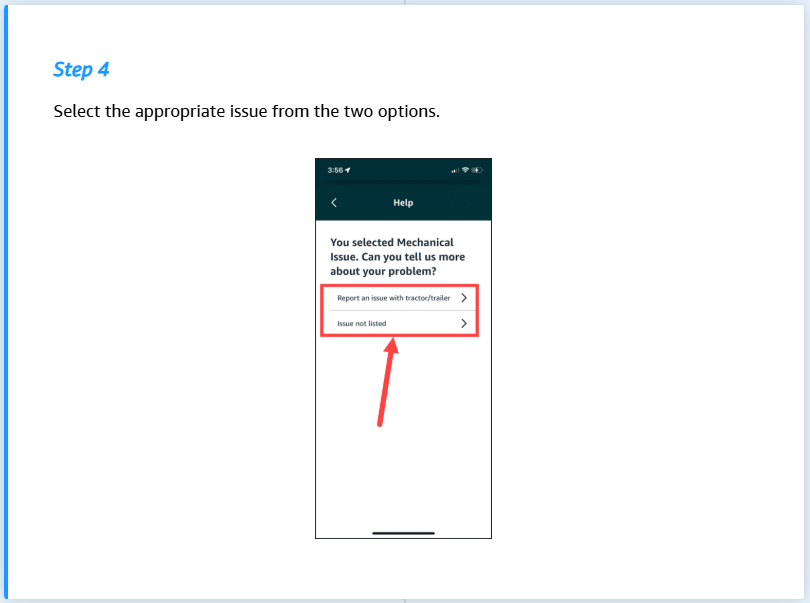
In the event you have a mechanical issue with your tractor or the trailer, you should report this.
View below to see the full process:
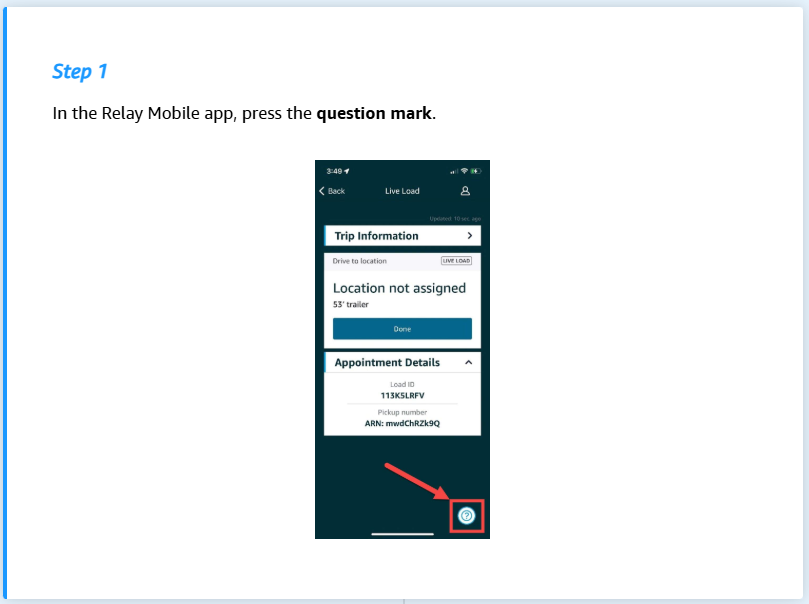
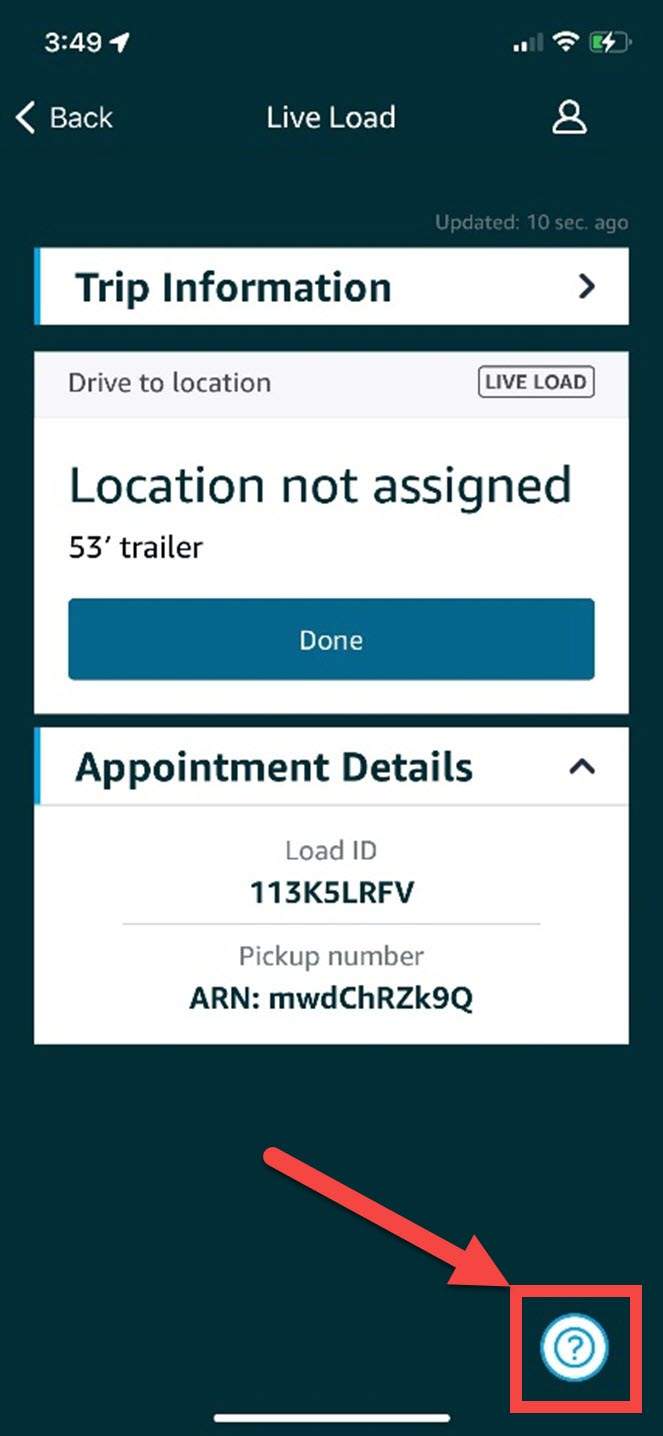
In the Relay Mobile app, press the question mark.
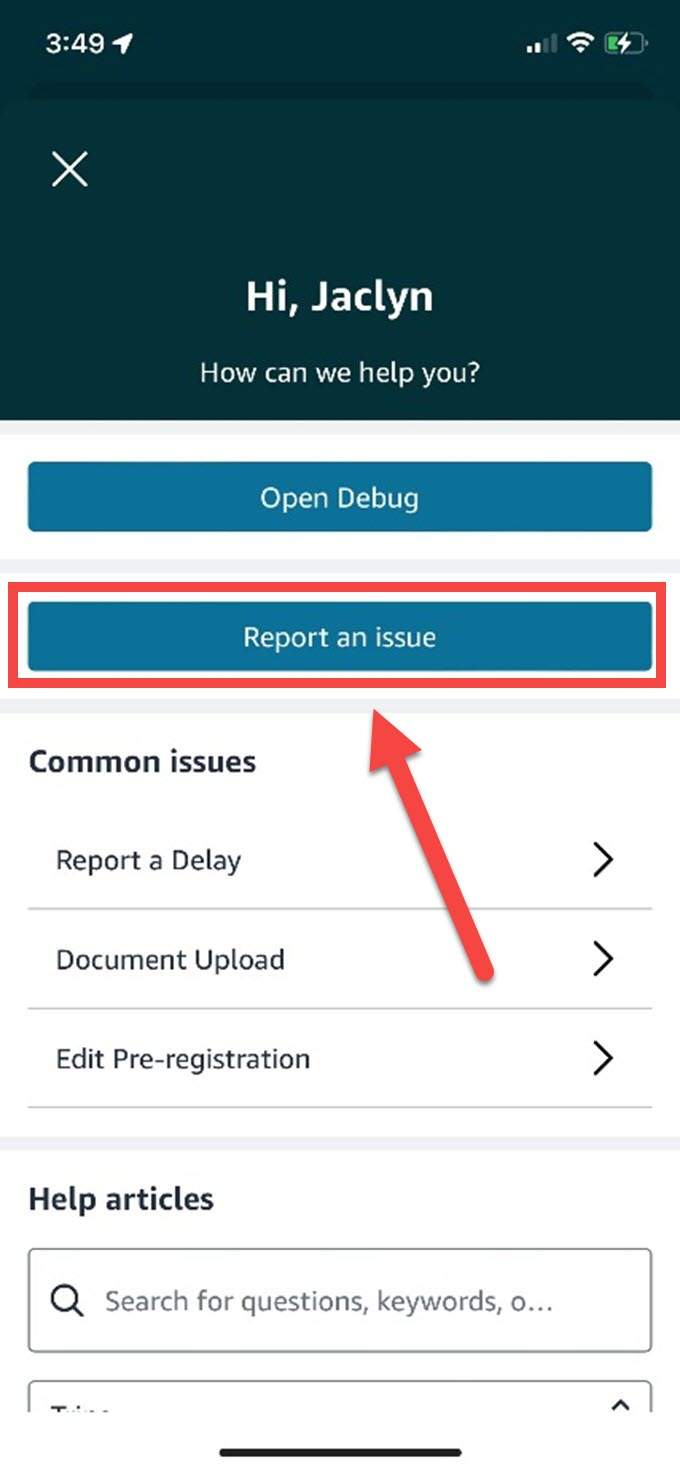
Press Report an issue.
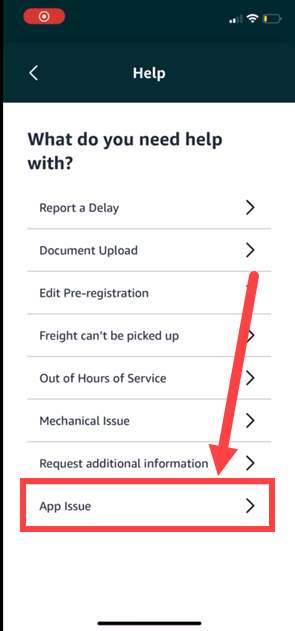
Press App Issue.
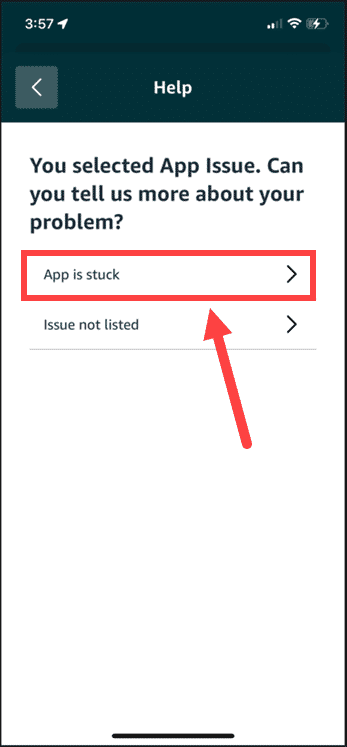
Press App is Stuck.
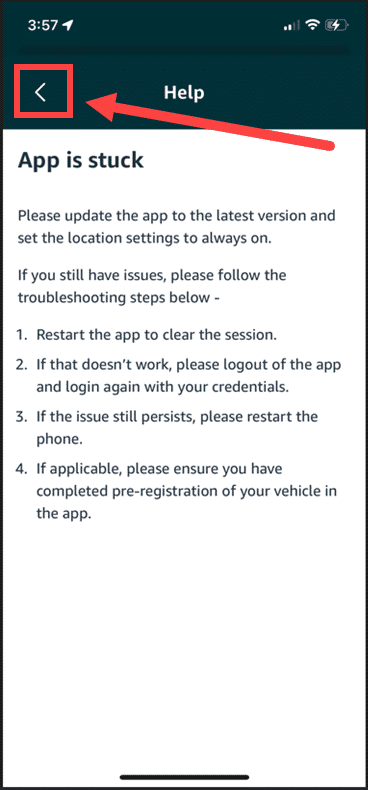
Follow the directions listed on the help page.
If that does not help, press the back arrow. Then, please follow steps 1-3 and move to step 6.
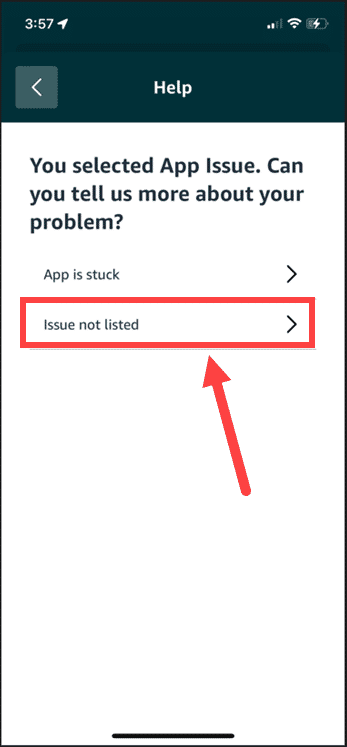
Press Issue not listed.
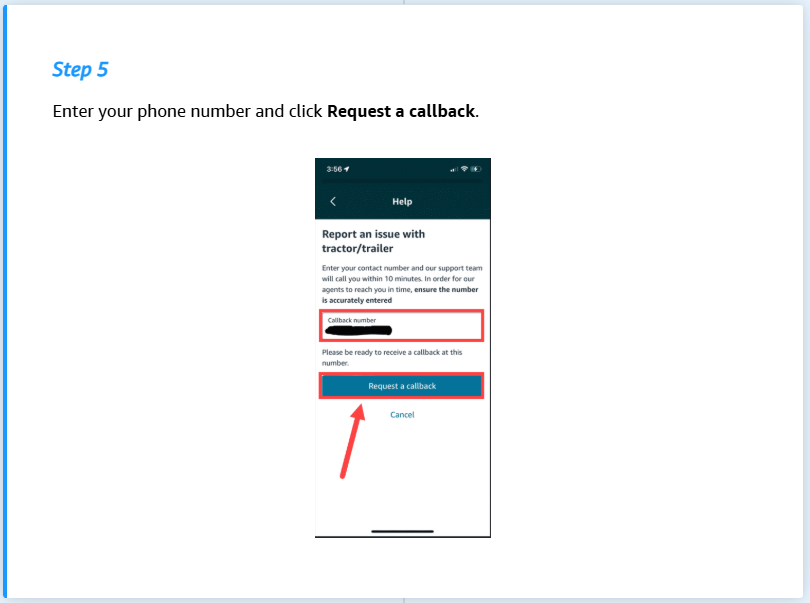
Enter your phone number and click Request a callback.
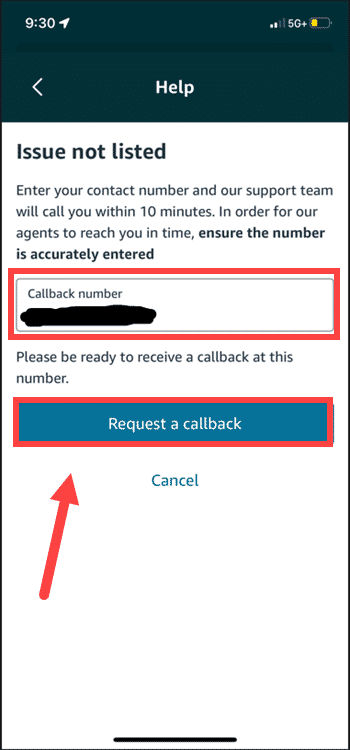
Wait for the dispatch and disruption (D&D) team (formerly known as ROC LTL) to call you back.
Note: Do not continue on until you receive a call back. If needed and possible, move to a safe and legal waiting spot.