Mccoy

Overview

Welcome to Relay Performance Disputes

This course will provide carriers with important information related to the Relay Performance Disputes process. At Amazon, we have multiple teams of experts here to support carriers. To expedite reviewing negative Relay Performance Score impacts, we created the performance dispute process. This process allows carriers to appeal non-compliant loads that you feel should not be impacting your company’s performance score. 

Target Audience

  • Carriers

Time

This course will take approximately 10 minutes to complete. 

Navigating This Course

This course is mobile friendly. You can take it on your phone or on a computer. Select the cards below for tips on taking this course on your phone.

Press the tabs below to learn the meaning of each color status.

Click the magnifying glass icon (+) to zoom in and click again to return to normal size.
When you see a "CONTINUE" button, select it to unlock the next section of the course.
Rotate your phone for better access to course content.
Performance Disputes Team

In order to handle performance related disputes from carriers, there is a dedicated team of Amazonians who review your performance disputes.

The Relay Operations Center, is Amazon’s operational support team. The ROC handles customer support for the Relay app, tour disruptions, and equipment management. 

ROC does not manage performance disputes. 

Find Loads Impacting Your RPS
When to Submit Performance Disputes

How to know if you should submit a dispute:

You have learned that a load is negatively impacting your Performance Score but you feel that it shouldn’t be… now what? 

Complete the lesson below to learn when to submit a performance dispute.

Before filing a performance dispute, ask yourself the questions below:

  1. Was the reason carrier controllable?
  2. Did you review the commonly missed carrier controllable reasons?
  3. Do you have all the information needed for Amazon to review quickly and effectively?

There is a possibility that not all loads impacting your Performance Score can be disputed. There are several common incorrect dispute submissions that are defined as carrier controllable.

Navigate through each scenario below to learn more about incorrect dispute submissions. 

Best Practices

When submitting a Performance Dispute, there are a few best practices to consider to help ensure that your dispute can be quickly and successfully processed. 

Before submitting a performance dispute, confirm that all information is entered accurately and in their appropriate fields. This expedites the review process to confirm if a score override is needed. 

Do attach screenshots of information like contract details, booking details, third-party sources about excessive traffic, etc.

Do not send screenshots of loads.

We understand that your company may not agree with Amazon’s decision to not override a non-compliant load. If you think we did not make the correct decision, you can reopen the case. Disputes can only be reopened once.

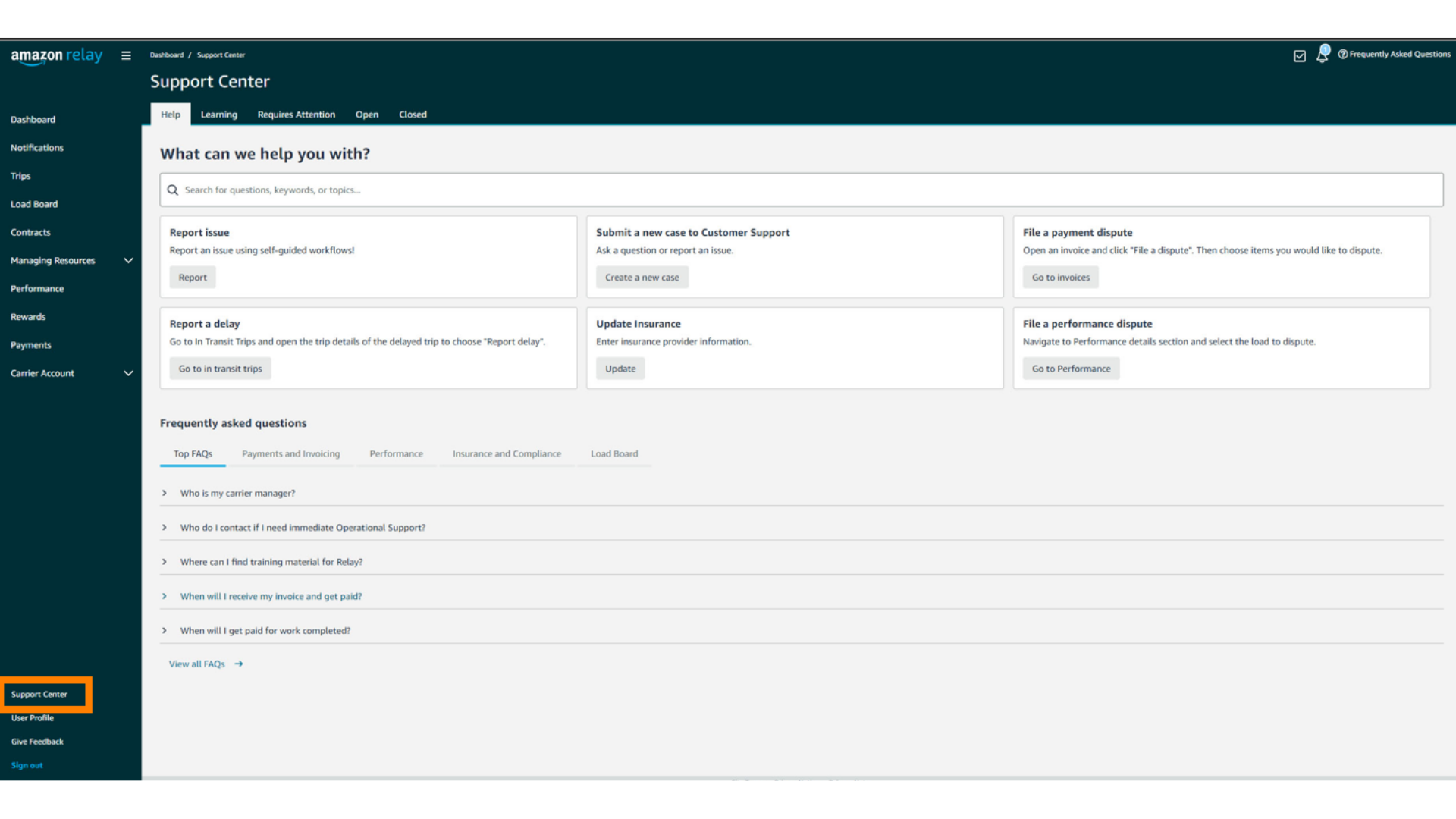
For additional information, please refer to the Support Center of your company’s Relay account.
How to Submit Performance Disputes

Submitting Performance Disputes:

You have found a non-compliant load is negatively impacting your Performance Score but shouldn’t be… now what? 

Complete the lesson below to learn how to submit a performance dispute.

When preparing to submit a dispute, gather the minimum information required to submit a dispute:

  • Tour ID / Block ID (if applicable)
  • VRID
  • Date of Execution
  • Performance Metric Type
  • Description of the issue


If correct reason codes are applied with corresponding load notes, performance scores should not be impacted by Uncontrollable and Amazon Controllable delays.

Select a Performance Category

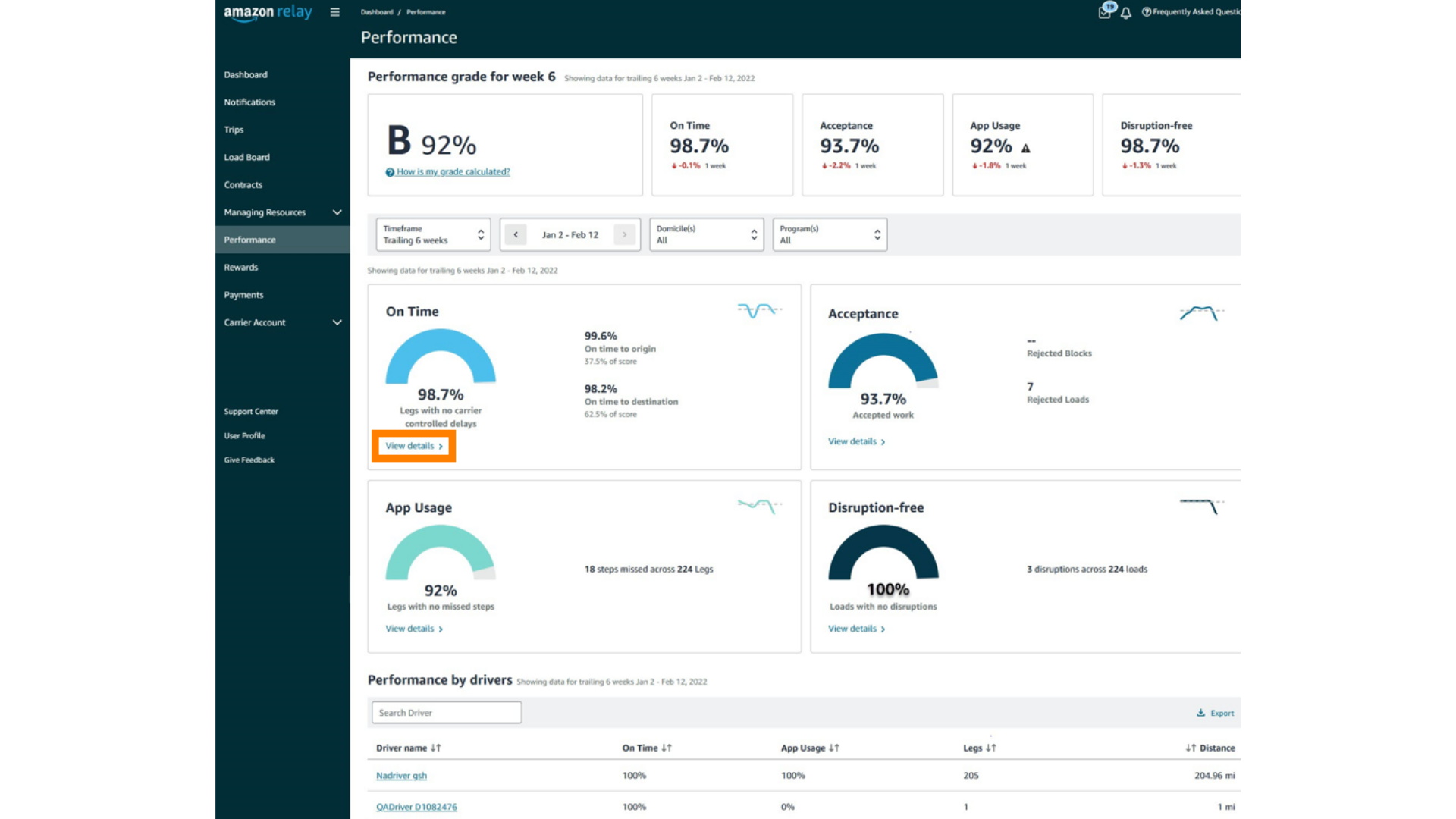
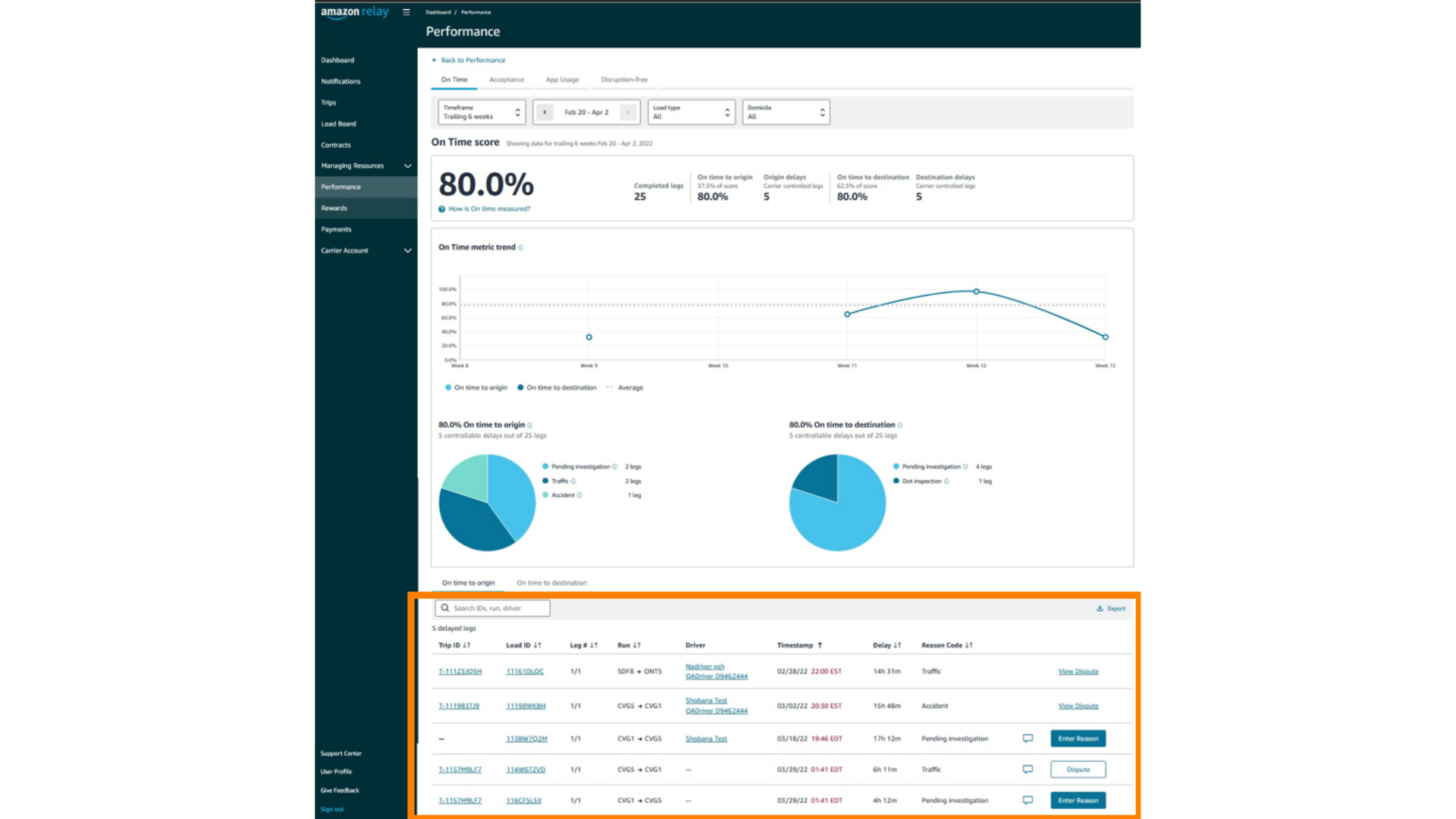
There are multiple performance categories that contribute to your overall RPS. Within the performance tab, you can view the details for each category to see what loads are negatively impacting your RPS. 

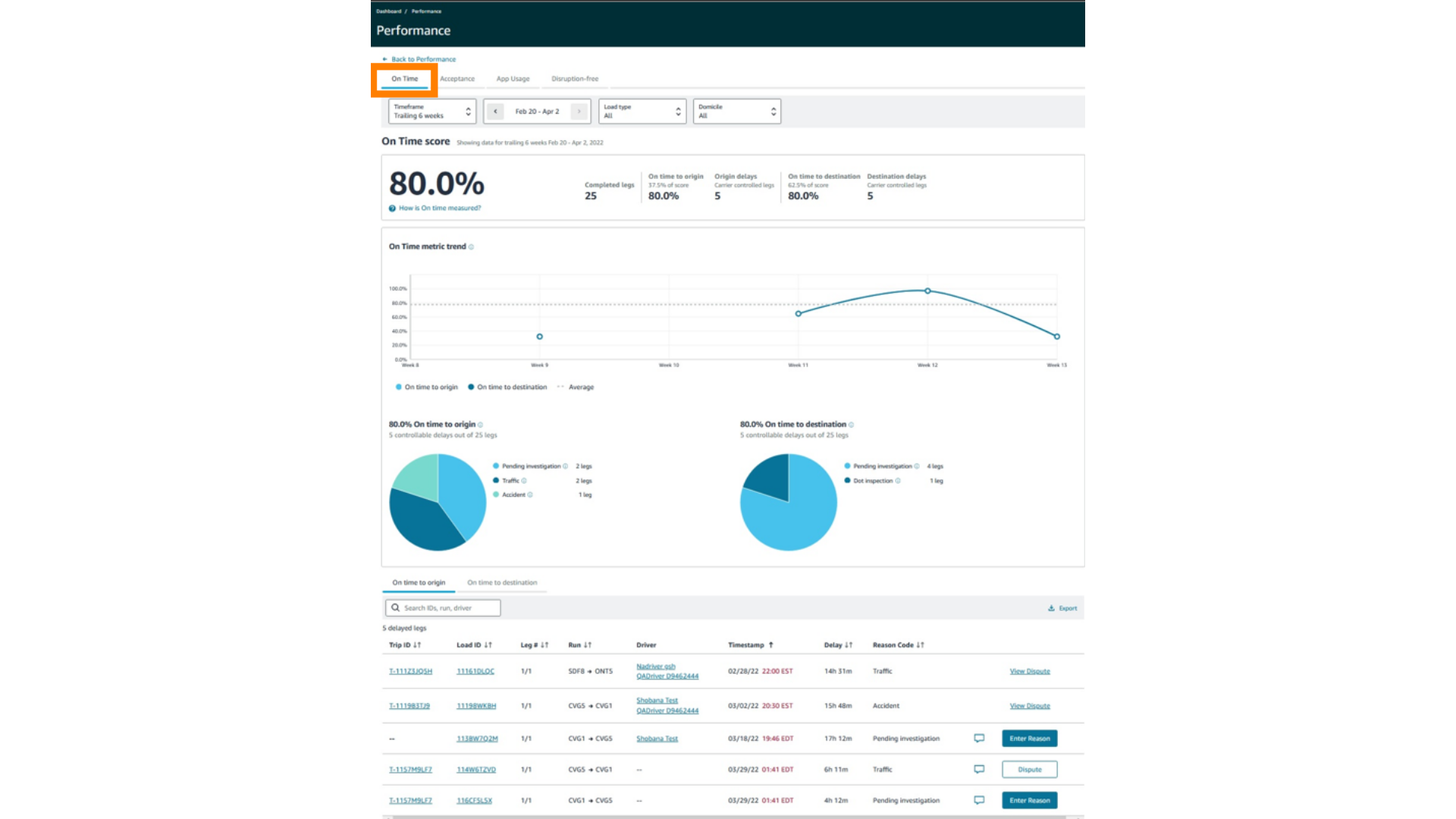
View each tab below to learn how to view the various performance categories and the loads impacting them.

Filling out a Performance Dispute

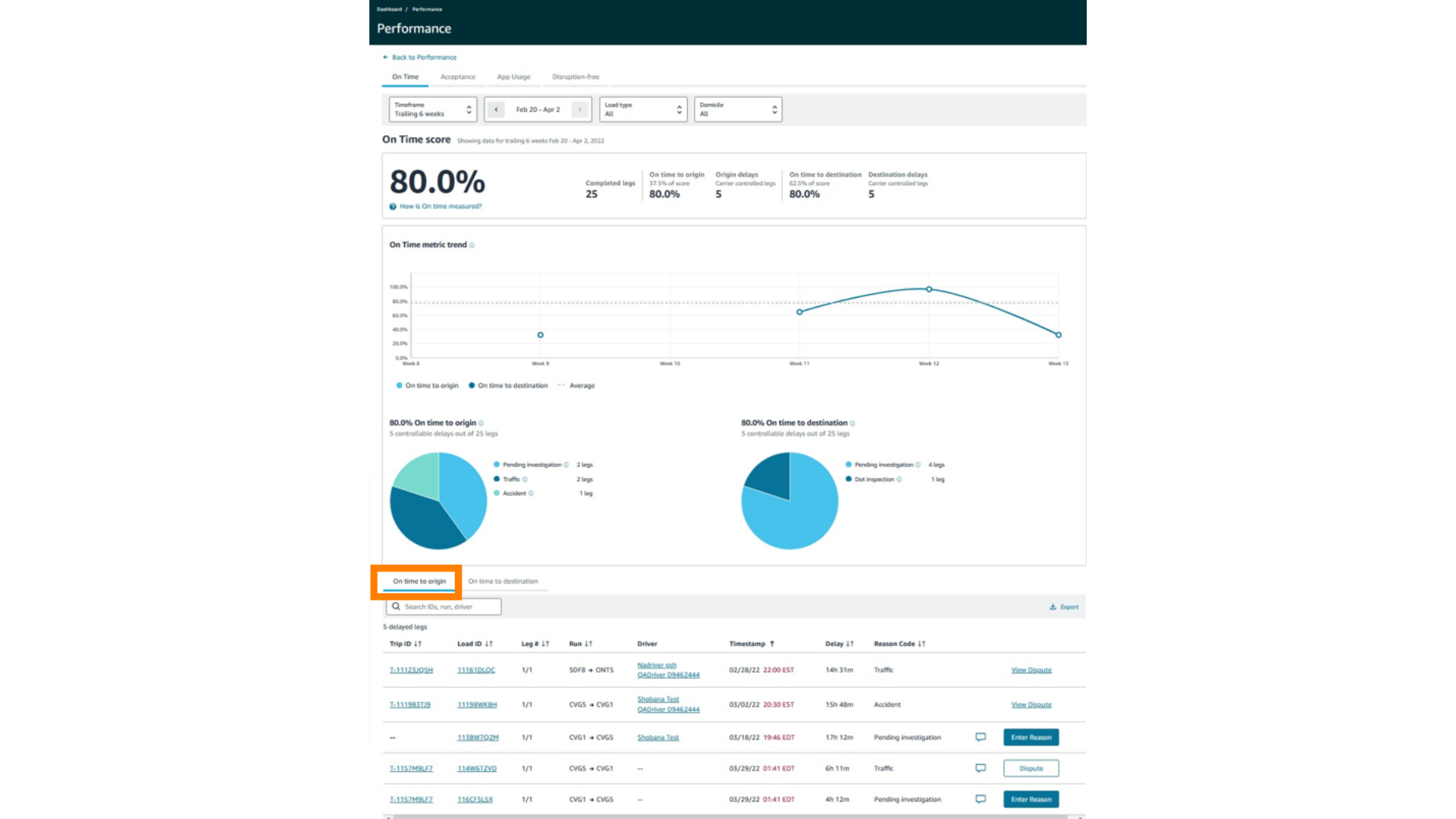
Once you have found a load that is impacting your performance score, and you have determined that it is incorrect, you will then have the option to update the reason code, or you may submit a dispute.

View each step below to learn how to correct or dispute loads incorrectly impacting your RPS.