In this course your company will learn about the different work available on Amazon Relay.
The course provides information on:
The different types of work available on Amazon Relay and how to book them.
How to navigate the Relay Load Board: search filters, features, and tools
How to qualify for and book loads during Early Access
Approximately 15 minutes
Because this course is mobile friendly, you can take it directly on your phone or on a computer. Select each card below for tips on taking this course on your phone.
The Load Board consists of 4 sections:
Short-Term Contracts are also available for qualified carriers on the Contracts page.
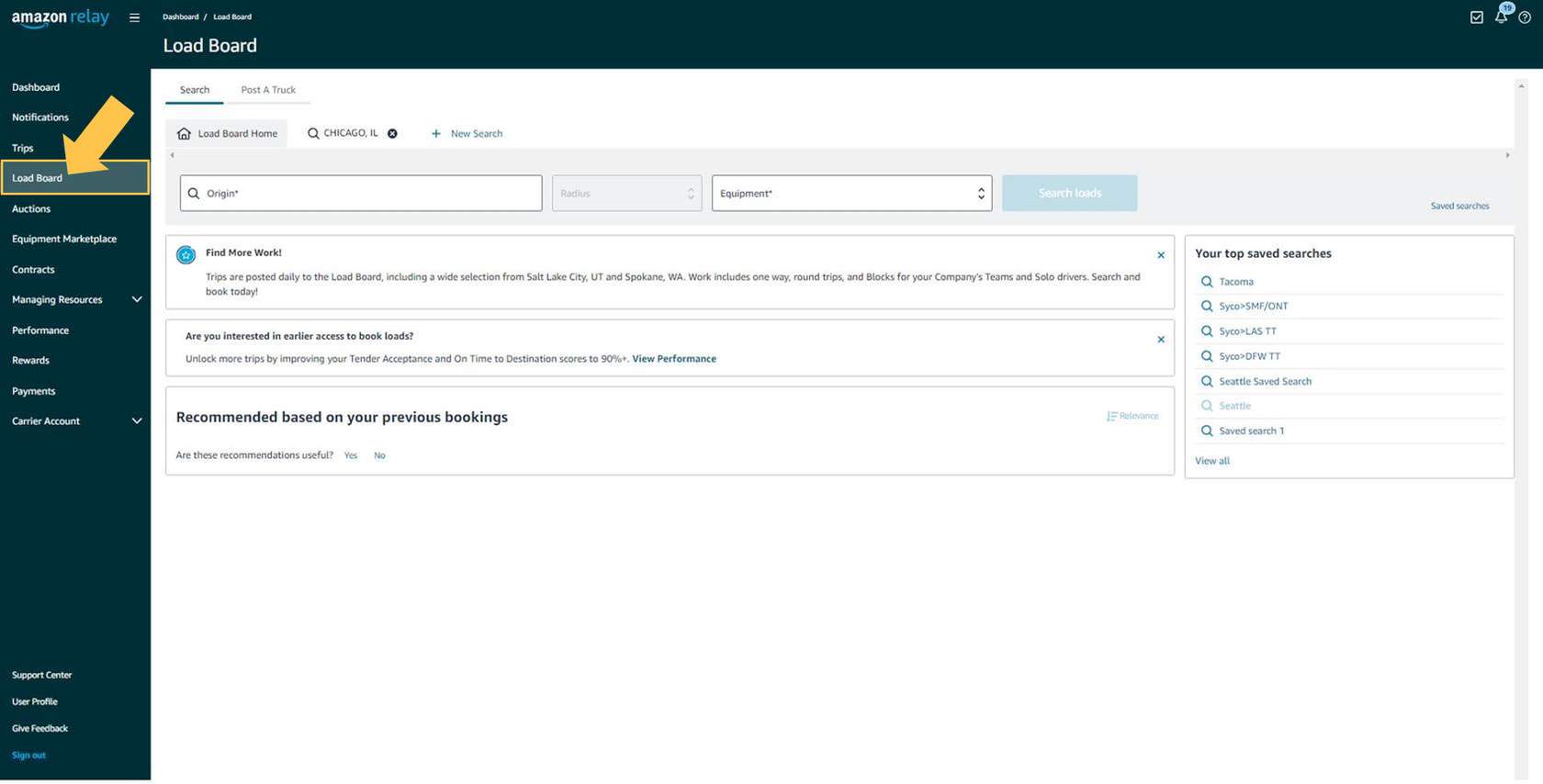
To access the Relay Load Board, select Load Board in the left side menu.
Your company may see messages below the search fields if there are any new feature releases or announcements specific to the Relay Load Board.
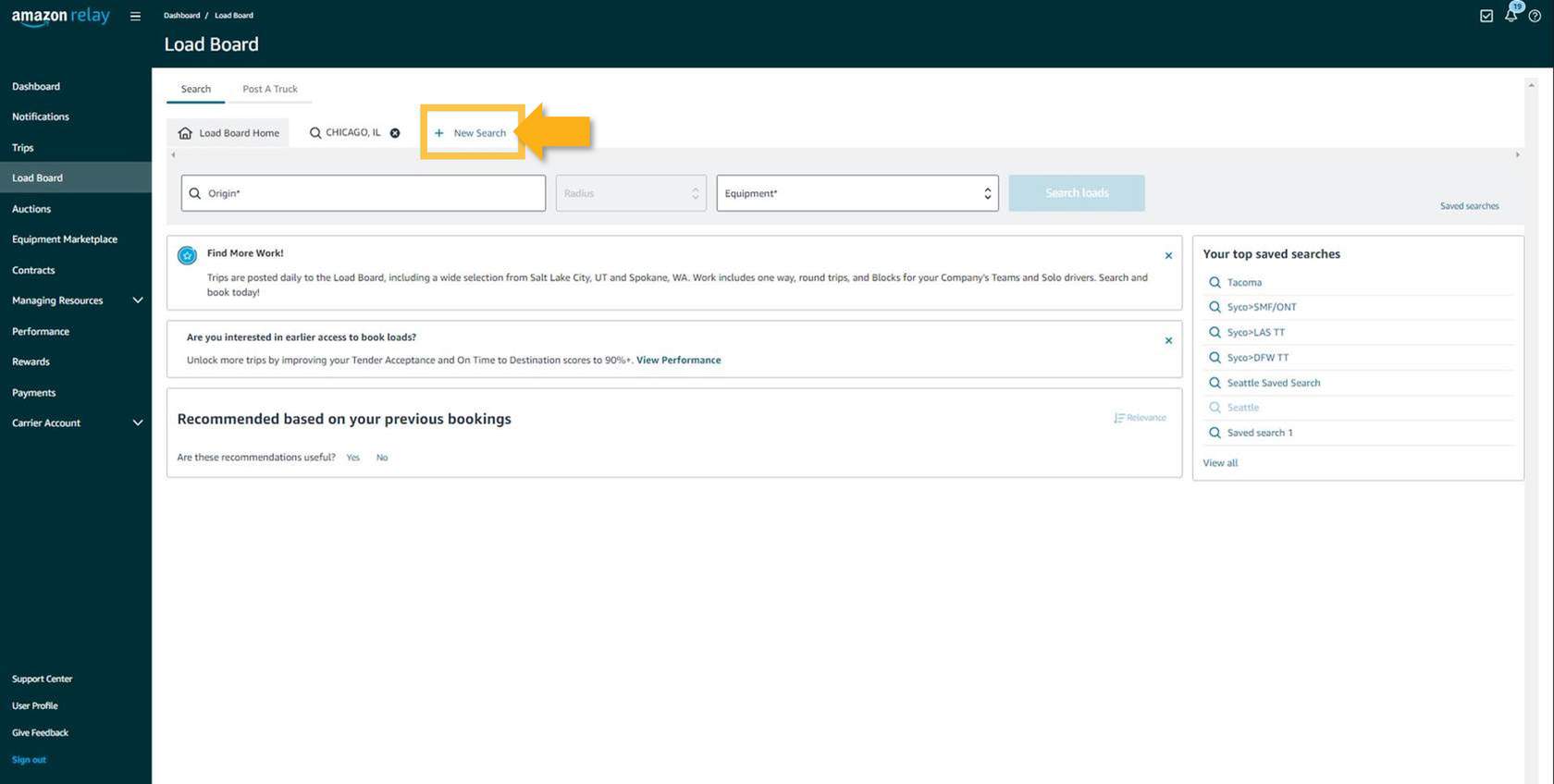
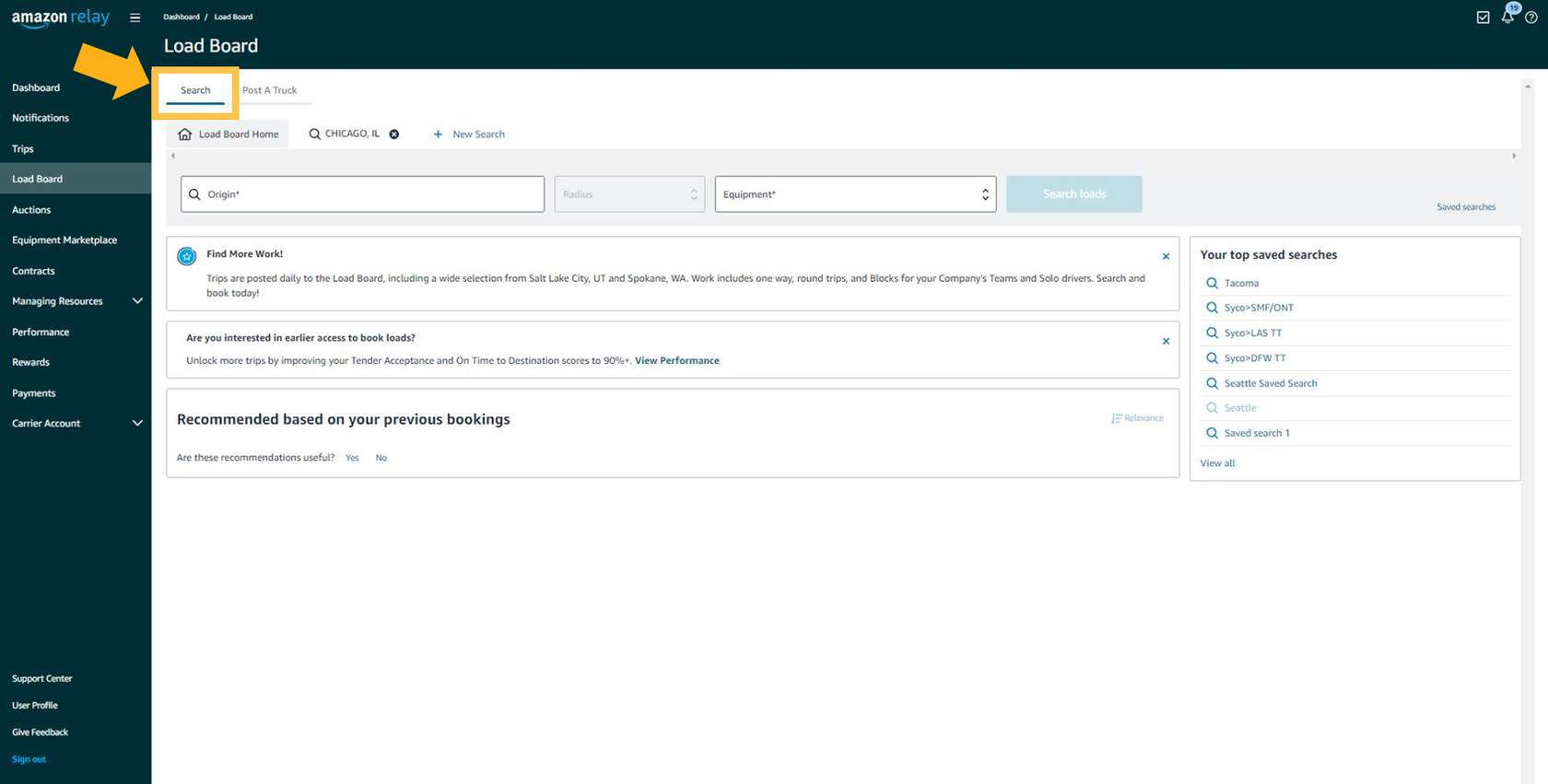
The Load Board Home Page is divided into 4 areas: the Search tab, the Post A Truck tab, the Recommended section, and the Your top saved searches section.
Press each tab below to learn more. You can also press on each image to see a larger version.
The Search tab allows your company to search for posted spot work on the Relay Load Board. Spot work consists of loads that are available for instant booking.
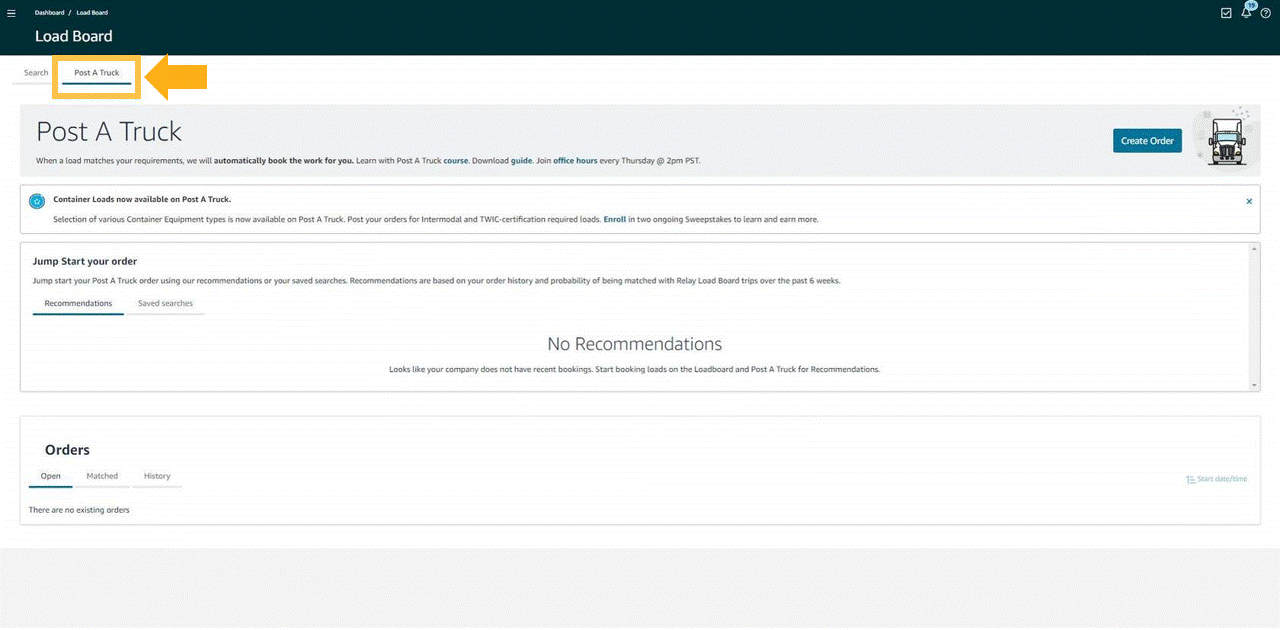
The Post A Truck tab is where your company can post available capacity, including desired price-per-mile or total payout, and if we have work that matches your company’s order, and preferred payment amount, Amazon can automatically book a load for you. Post A Truck saves your company time finding desired loads.
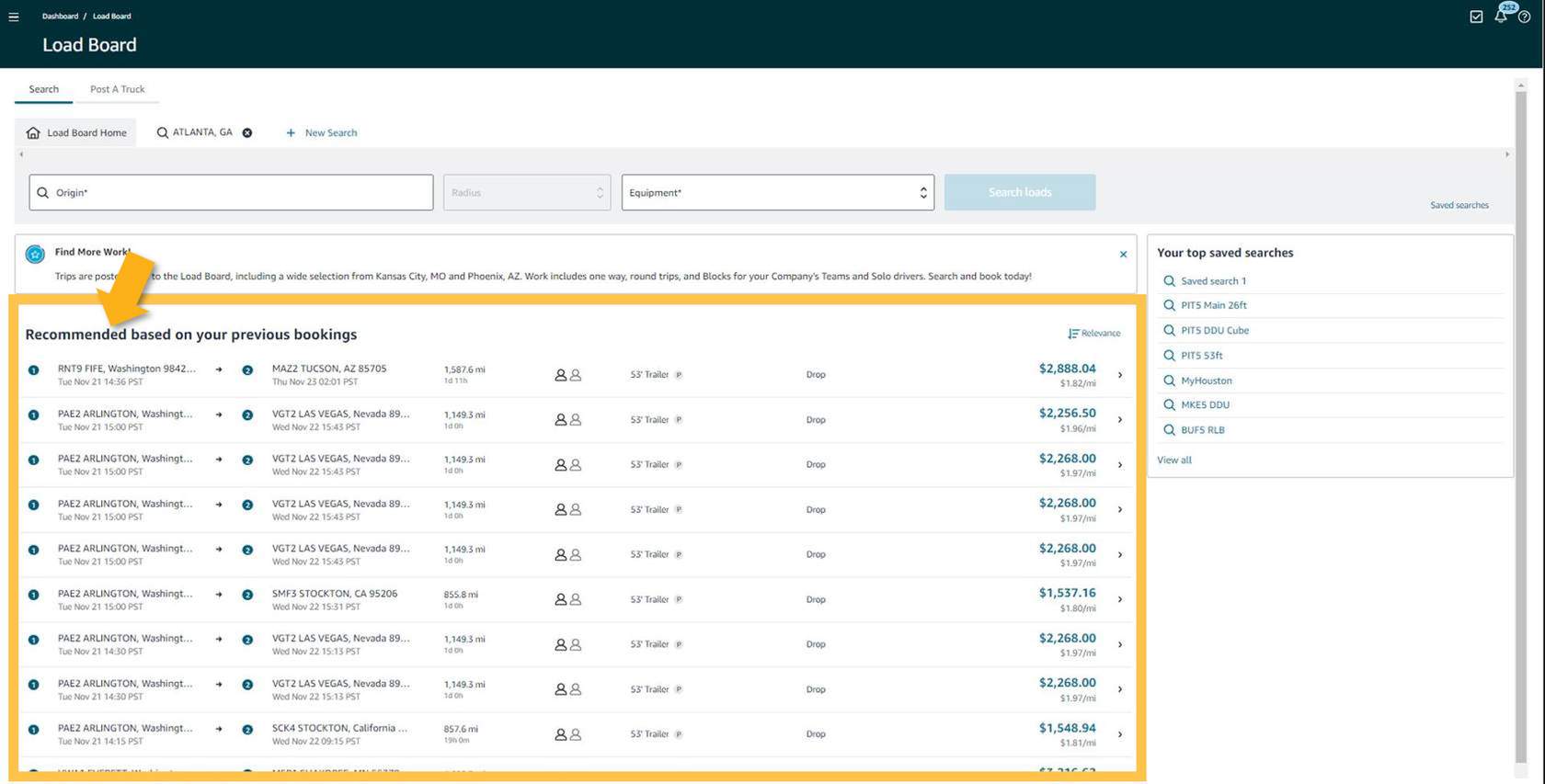
The Recommended section highlights loads based on your previous bookings, saved searches, and Post A Truck orders.
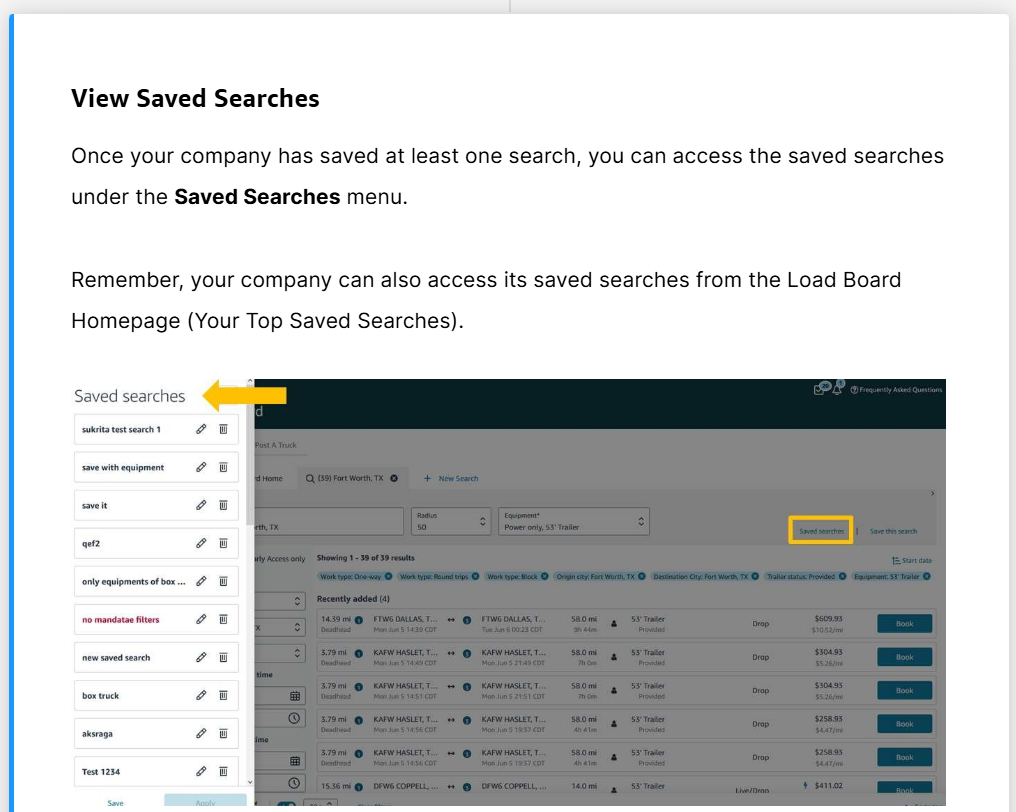
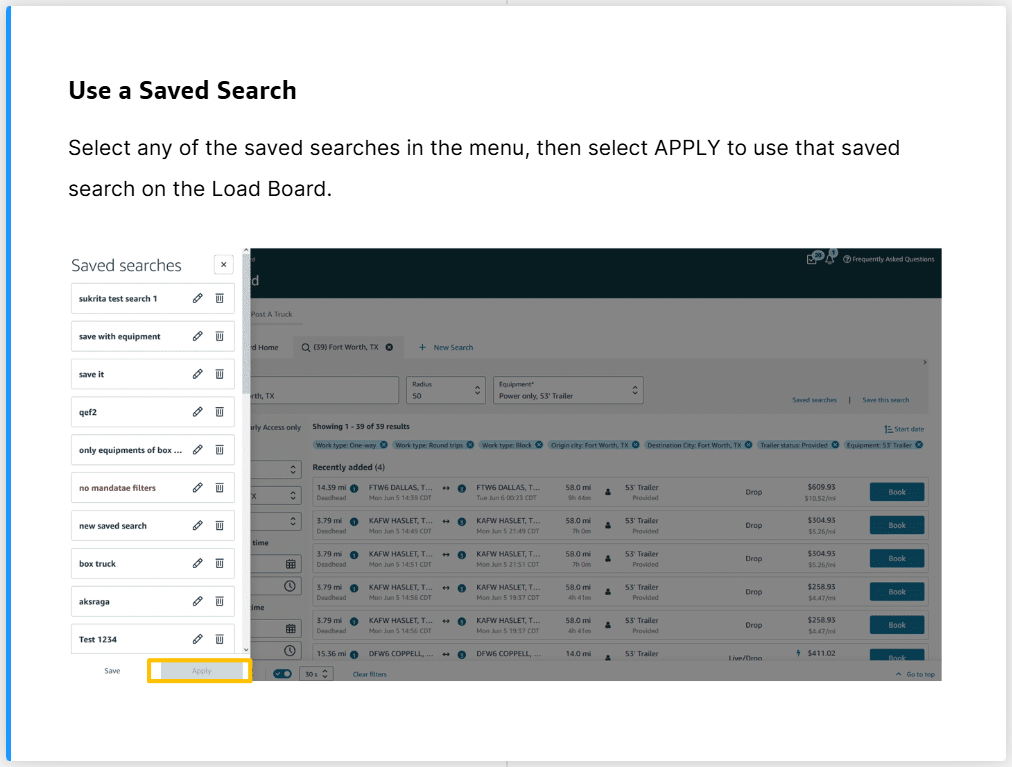
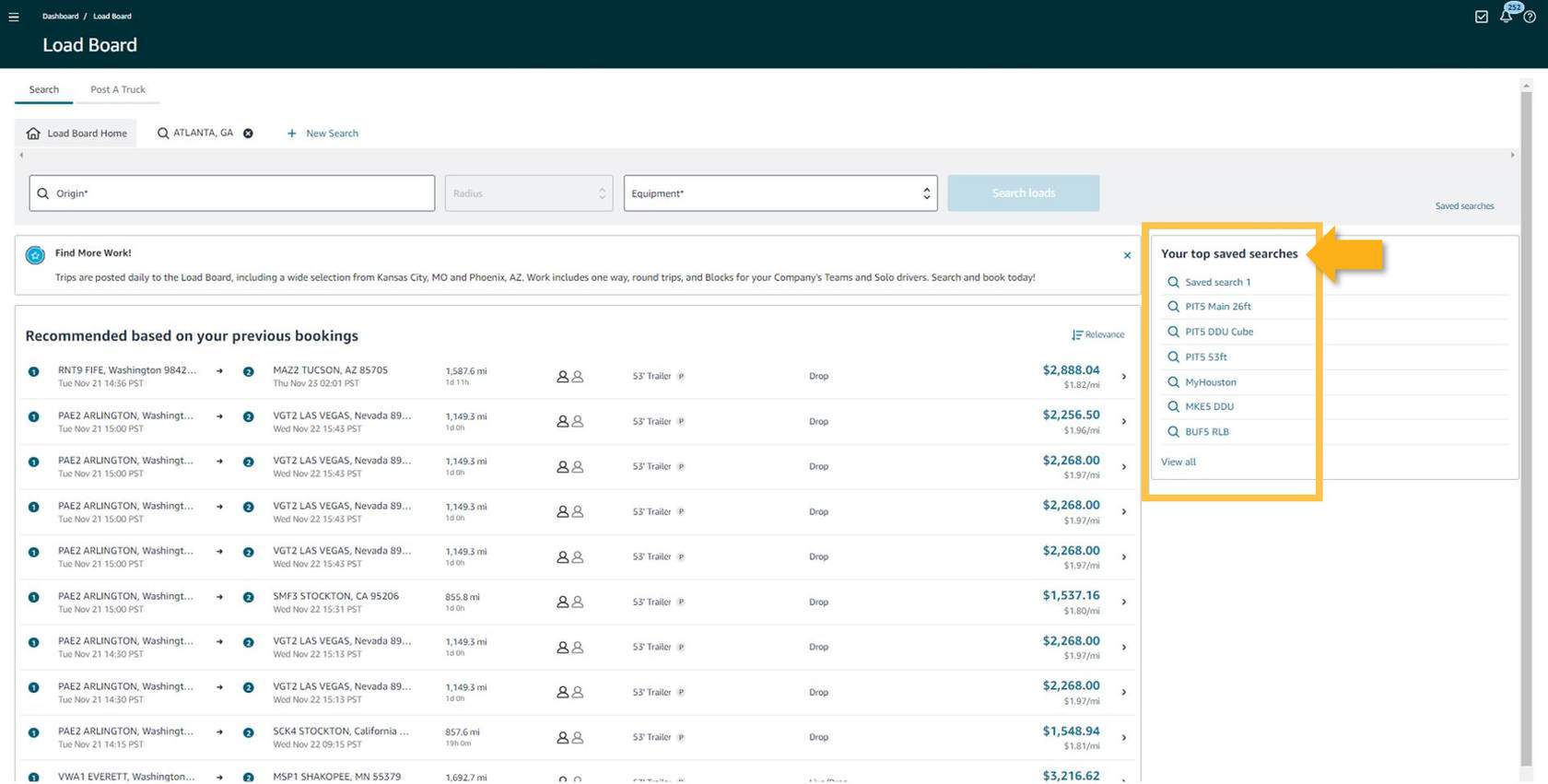
The Your Top Saved Searches section allows you to see your saved searches. Selecting a search will populate the results of that search.
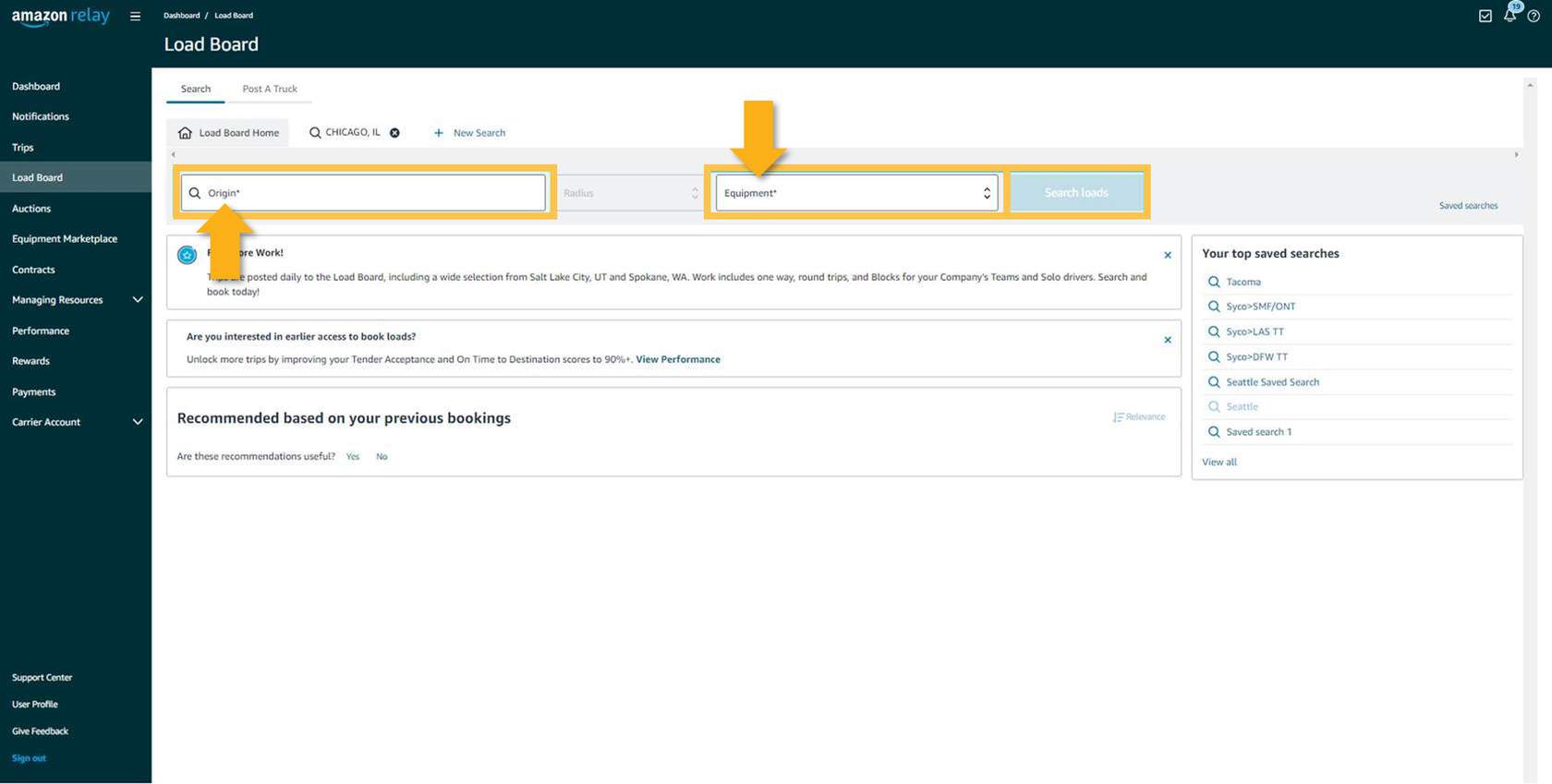
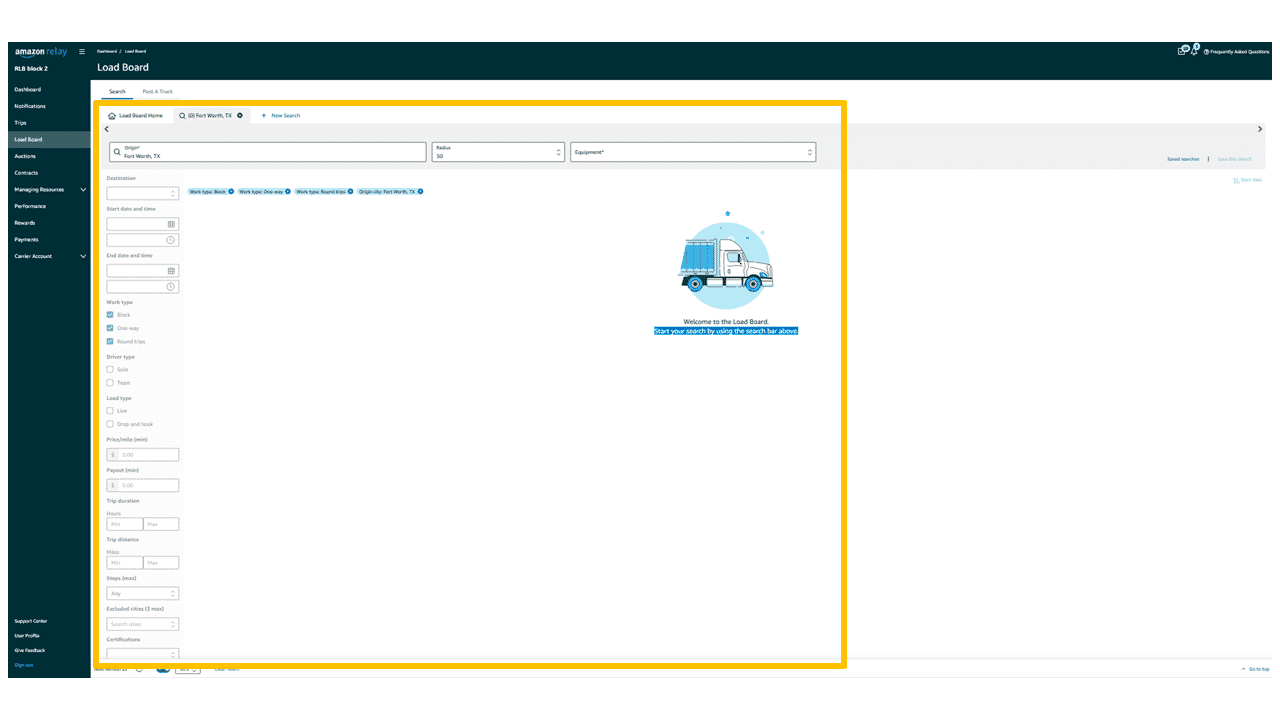
Alternatively, selecting the + New Search button will add a new tab, and expand the search field options for a more refined search.
Quickly start a search by adding the Origin and Equipment Information into the search bar and selecting Search loads. This will populate a new tab with relevant loads that can then be refined.
Your company can use as many or as few search fields as it likes. The more filters you include in the search, the narrower the search becomes.
An extensive list of filters have been provided to refine the results on the search tab.
Press the (<>) arrows to scroll through the images below. Press on each image to zoom in on the search features available.
Note: Origin and Equipment are required filters when searching for loads. If they are not present, then loads will not populate.
To find spot work, select Block, One-Way, or Round Trip using the Work Type search filter.
Press the (+) icon to view an explanation of each type.
A period of time that will always start and end in the same location. Your company will not know the details of trip routes until closer to the start of the block.
By booking block work, your company is committing to having a driver start at the designated location, work a specified amount of time, and then return to the origin.
This can consist of one leg or many legs, but will not return to the same location as the origin.
Round Trips have a minimum of two legs and may contain many legs. It will always return the driver to the origin.
A round trip has a pre-determined trip route before booking. However, Amazon may make further adjustments as late as 4 hours before the start of each load.
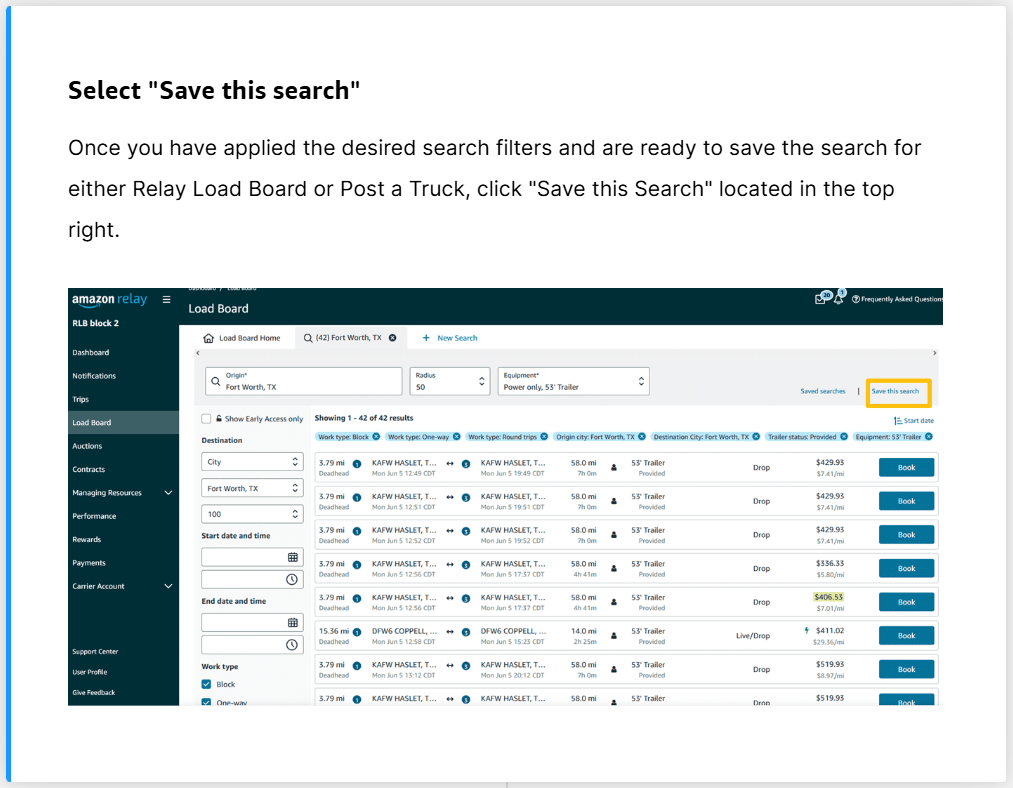
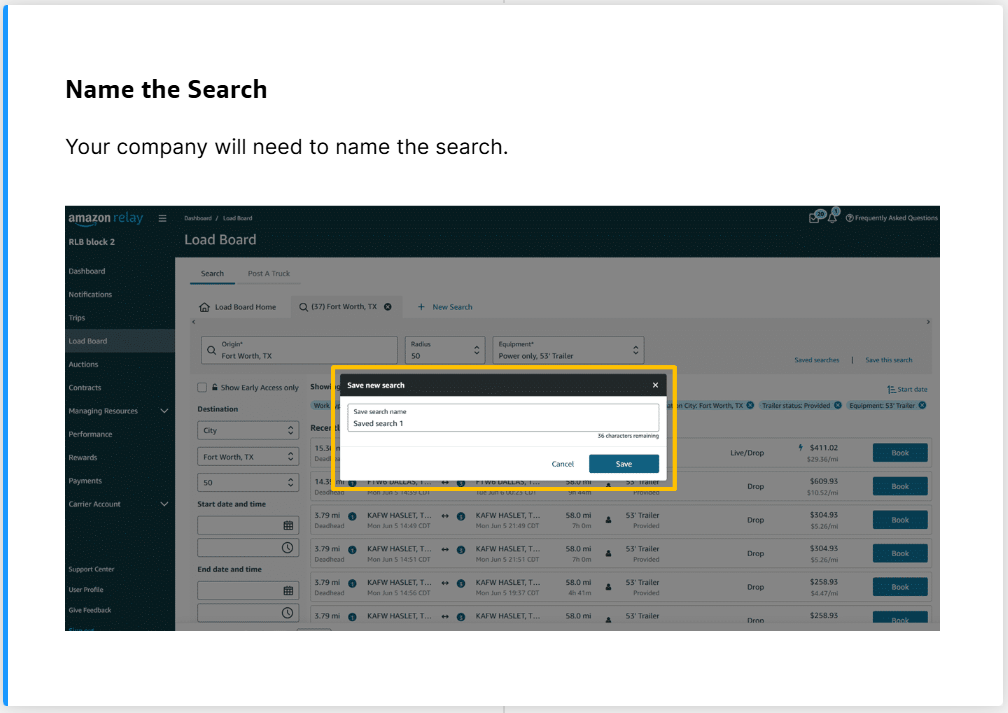
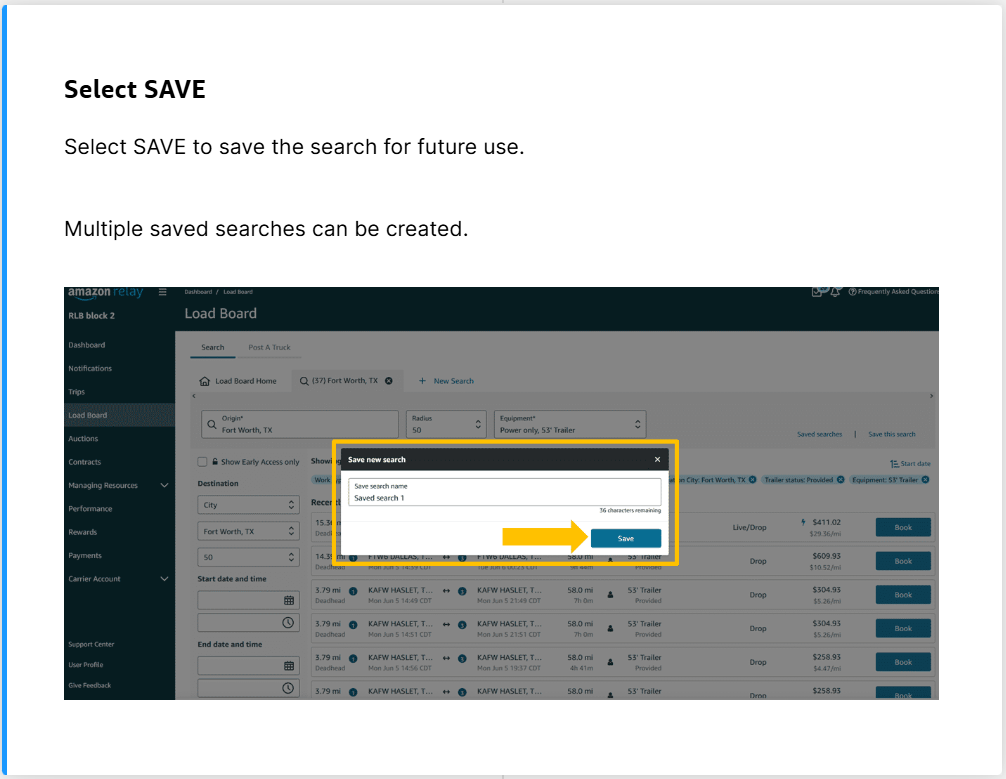
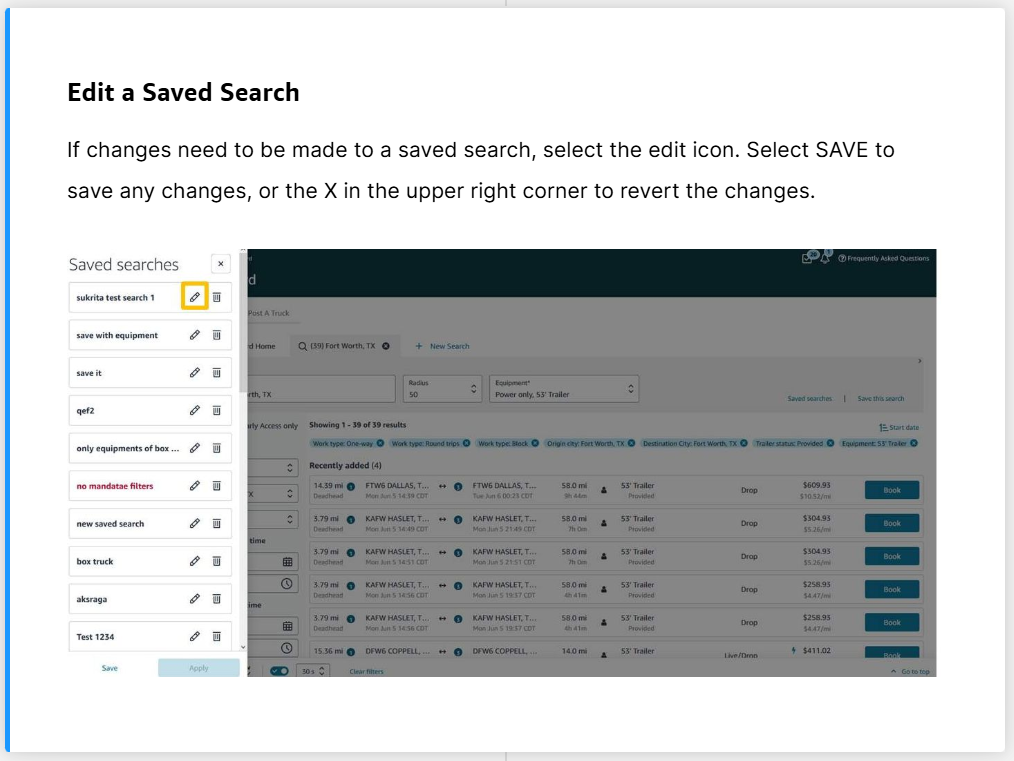
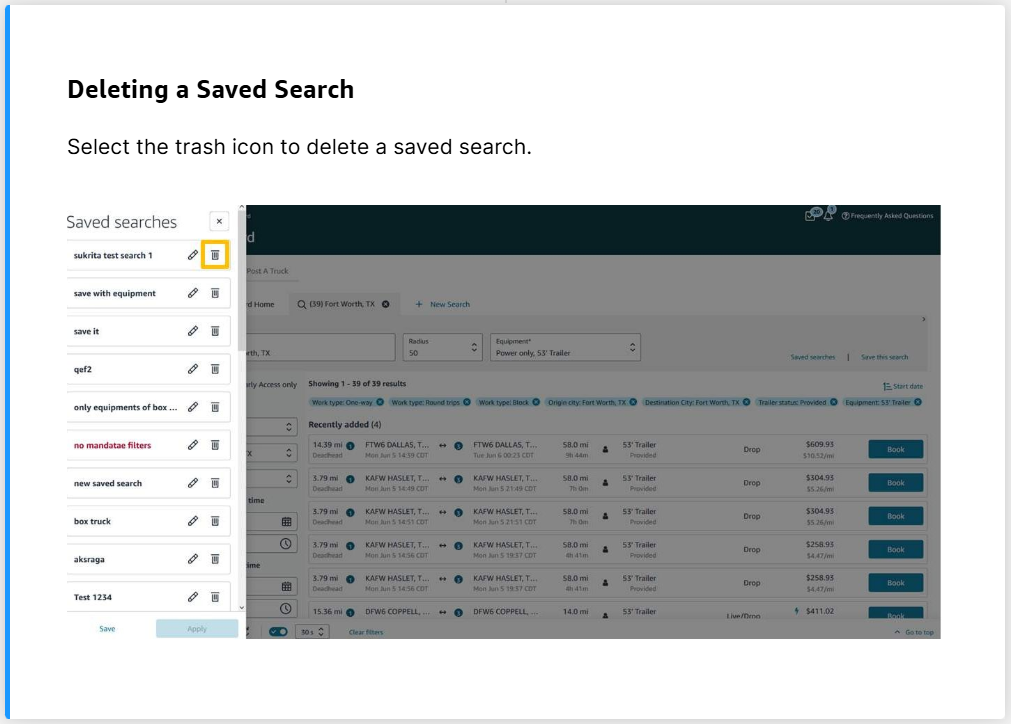
Saving a Search
In order to save time while searching for work in the future, your company can save a search to avoid having to re-enter the same criteria.
Your company will need to determine what work is best for them once the results are displayed.
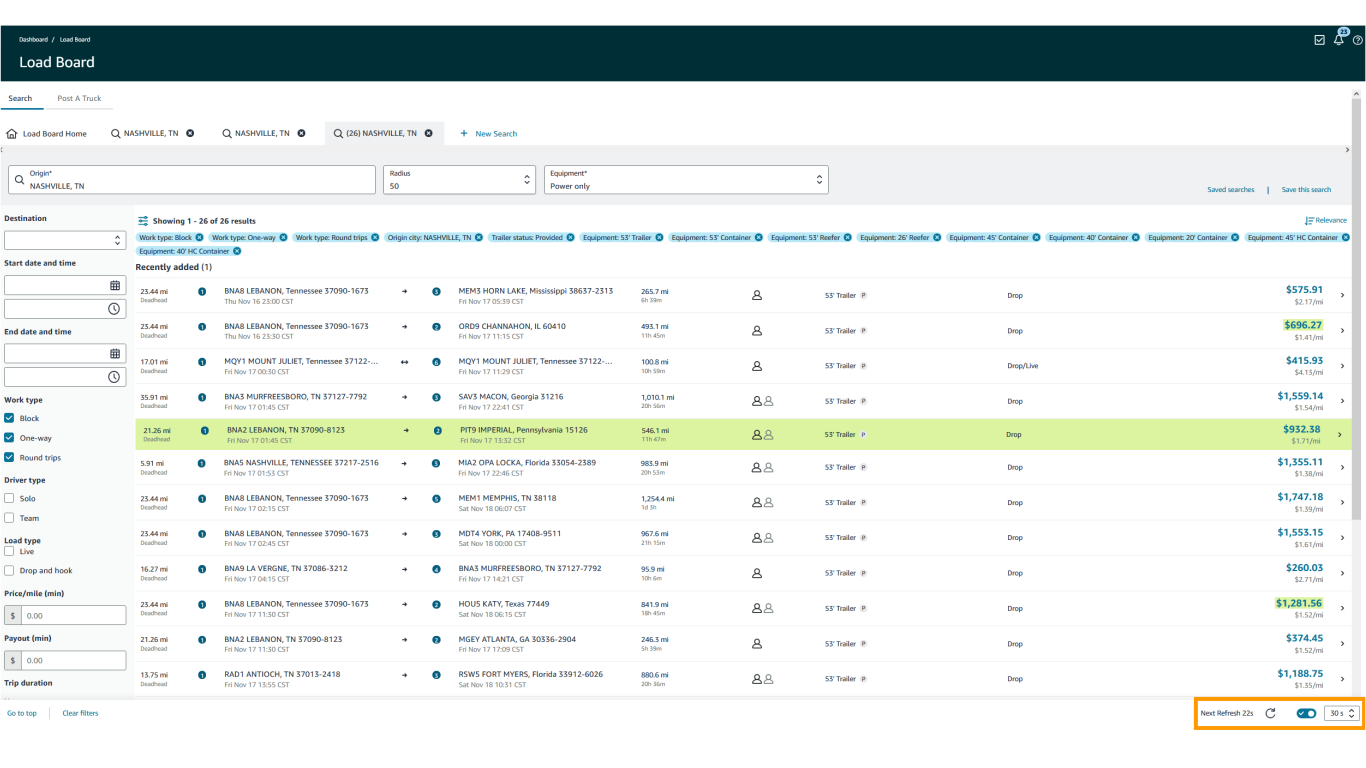
The load board is set to automatically refresh every 30 seconds.
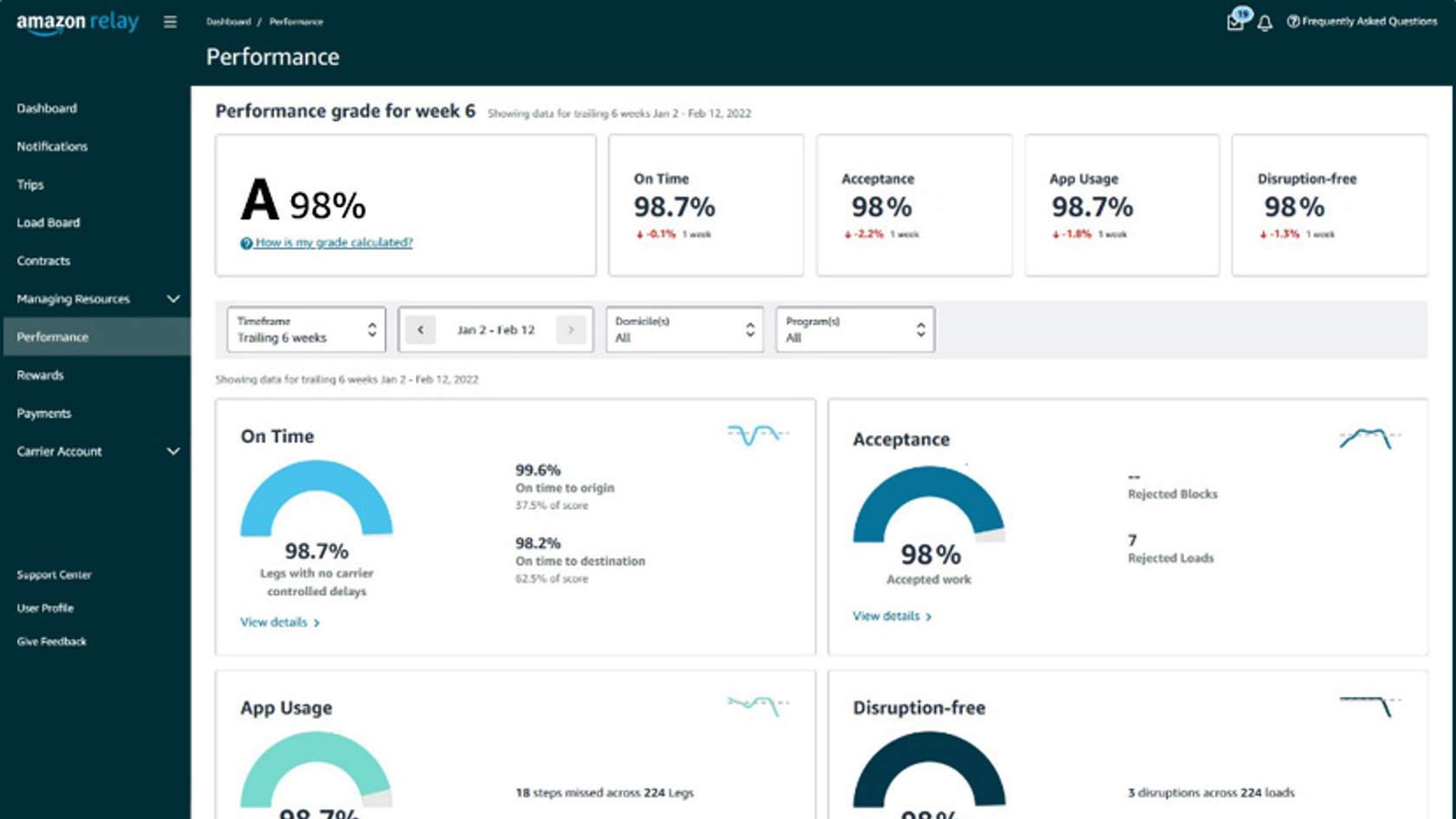
Early Access to Relay Load Board loads is made available to top carriers with a high Performance grade. Carriers performing at the highest level will enjoy viewing and selecting loads before they are released to all carriers.